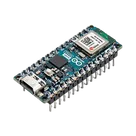
Arduino RGB LED Schematic

Create a schematic with the following components and connections: Components:
Arduino Nano ESP32 RGB LED (common cathode) 3x resistor 220Ω 1x resistor 10kΩ photoresistor (LDR) LCD 16x2 with I2C module (PCF8574, address 0x27)
Connections:
Arduino D9 → 220Ω resistor → LED red anode Arduino D10 → 220Ω resistor → LED green anode Arduino D11 → 220Ω resistor → LED blue anode LED common cathode → GND Arduino 3.3V → photoresistor pin 1 photoresistor pin 2 → Arduino A1 photoresistor pin 2 → 10kΩ resistor → GND Arduino A4 (SDA) → LCD SDA Arduino A5 (SCL) → LCD SCL Arduino VBUS (5V) → LCD VCC Arduino GND → LCD GND
You’re currently viewing a part project for ABX00083, not an editable design workspace, so the fastest path is to start a new project with your full schematic request prefilled. The current project is the Arduino board’s part definition, with MPN ABX00083 and datasheet URL already set in its properties
Click that link and Copilot will continue in a fresh editable project with your full request loaded.
Create new project
Add pull-ups too
Use labels clearly
create a high level mermaid block diagram of this project. Include key component...

@copilot create a high level mermaid block diagram of this project. Include key component's manufacturer part number in each block whenever possible.
2y
To create a high-level block diagram for your project using Mermaid syntax, we'll break down the key components outlined in your project description. However, please note that since specific manufacturer part numbers are not provided in your project's description for most components, I'll include the ESP32-S3 Arduino Nano ESP32-S Xtensa® MPU Embedded Evaluation Board's manufacturer part number as a key component. Additionally, I'll organize other components based on their designators and general function, assuming standard connections for an ESP32-S3-based project. If you have specific part numbers for components like sensors, actuators, or interfaces not explicitly listed, please add them accordingly.
graph TD;
    ESP32-S3(ESP32-S3 Arduino Nano ESP32-S Xtensa® MPU Embedded Evaluation Board<br>Part: ABX00083)
    PowerSupply(Power Supply<br>+3V3_ and VIN)
    DigitalIO(Digital I/O<br>D0/TX - D13/SCK)
    AnalogInput(Analog Input<br>A0 - A7)
    Communication(Communication<br>D1/RX, D0/TX, D11/COPI, D12/CIPO)
    GPIO_Extensions(GPIO Extensions<br>D3, D4, D5, D8, D9, D10/CS)
    Reset_and_Boot(Reset and Boot<br>RST, BOOT0, BOOT1)
    Ground(Ground<br>GND_1, GND_2)

    ESP32-S3 --> PowerSupply
    ESP32-S3 --> DigitalIO
    ESP32-S3 --> AnalogInput
    ESP32-S3 --> Communication
    ESP32-S3 --> GPIO_Extensions
    ESP32-S3 --> Reset_and_Boot
    ESP32-S3 --> Ground

    classDef default fill:#f9f,stroke:#333,stroke-width:2px;
Key:
  • ESP32-S3 Arduino Nano ESP32-S Xtensa® MPU Embedded Evaluation Board (ABX00083): The central processing unit of the project, capable of Wi-Fi and Bluetooth communication, digital and analog I/O operations.
  • Power Supply: Includes pins for the +3.3V power supply (+3V3_) and voltage input (VIN) for powering the board from an external source.
  • Digital I/O: Digital input/output pins, including the SPI interface pins (D11_/COPI, D12_/CIPO, D13_/SCK_) and CS (D10_/CS) for peripheral devices.
  • Analog Input: Analog input pins (A0-A7) for reading analog signals.
  • Communication: Pins dedicated to RX/TX communication (D1/RX, D0/TX) and SPI communication (D11_/COPI, D12_/CIPO).
  • GPIO Extensions: Additional general-purpose I/O pins for various inputs and outputs.
  • Reset and Boot: Pins for resetting (RST) and boot modes (BOOT0, BOOT1).
  • Ground: Reference ground pins for the circuit (GND_1, GND_2).
This high-level diagram provides a simplified view of the major components and functionalities of your project based on the ESP32-S3 Arduino Nano ESP32-S board. Ensure to modify the block diagram as per your project's specific requirements and additional components or part numbers you might have.
2y
Someone is typing...
2
a a D2

2y
It looks like you've outlined a project based on the ESP32-S3 Arduino Nano ESP32-S board but haven't started connecting the components yet. Whether you're planning to create a specific application or just experimenting with the ESP32-S3 capabilities, it's crucial to start with the fundamental connections, including power supply, grounding, and any necessary peripherals for your intended application.
Let's start with some basic guidance on getting your project off the ground:
  1. Power Connections:
    • The ESP32-S3 board can be powered through the VIN pin for higher voltages (usually 5V) or through the +3V3_ pin for a direct 3.3V supply. Ensure that your power source matches the requirement of your project.
      • Connect your power supply to VIN if using 5V, or +3V3_ if you have a 3.3V supply.
    • Ground connections are equally important to complete the circuit.
      • Connect GND_1 and GND_2 to the ground of your power supply.
  2. Programming Connections:
    • If you plan to program the ESP32-S3 using UART, ensure connections from D0/TX and D1/RX to your USB-to-Serial converter or similar interface for programming.
      • Connect D0/TX to the RX pin of your USB-to-Serial converter.
      • Connect D1/RX to the TX pin of your USB-to-Serial converter.
    • Additionally, BOOT0 and RST can be utilized for entering the bootloader mode and resetting the board, respectively. Depending on your setup, you might need to connect these to switches or buttons that can ground the pins when pressed.
  3. Basic I/O:
    • For simple input or output (I/O) operations, you can use the digital (D2 to D13_/_SCK_) and analog (A0 to A6) pins.
      • Keep in mind the function of each pin if you plan to use the ESP32-S3's peripherals like SPI (D11_/COPI, D12/CIPO, D13/SCK, and D10_/_CS) or I2C.
  4. ESP32-Specific Features:
    • The ESP32-S3 offers Wi-Fi and Bluetooth capabilities. Make sure your antenna setup (not detailed here) is in place if your project requires wireless connectivity.
For a more detailed setup or specific functionalities, could you specify the focus of your project? For example, are you designing an IoT device, a sensor network, or perhaps a simple application to learn more about the ESP32-S3 capabilities? More details will help in providing targeted advice for connections and configurations.
2y
como insertar resistencia a D2 ?
2y
a a D2
2y
Someone is typing...
3
+3V3_
A3
D7
A7
D11_/_COPI
A2
D9
RST
A4
A1
D1/RX
BOOT1
D12_/_CIPO
VIN
D6
GND_1
GND_2
D10_/_CS
D8
A5
D13_/_SCK_
D3
A0
D4
D5
BOOT0
D2
D0/TX
VBUS
A6


No results...

ABX00083

ABX00083 thumbnail
ESP32-S3 Arduino Nano ESP32-S Xtensa® MPU Embedded Evaluation Board #commonpartslibrary #esp32 #evaluationboard

Properties

ABX00083

Arduino

U

Development Board

Pricing & Availability

Distributor

Qty 1

Controls