Deleting Components in Flux

0:46

Gathering instructions for Flux.

Ensuring proper formatting and linking.

Providing deletion steps for components.

Reading docs about How do I delete or remove a part/component in Flux from the schematic or PCB views? Include keyboard shortcuts like Delete/Backspace, context menu options, multi-select, using the Objects list, and whether deleting in one view removes it from the entire project. Include undo/redo steps..

Requesting help on component deletion.

Here’s what the Flux documentation says about deleting parts:
How do I delete a component, wire, or trace?
  • Select the object and press Del.
  • Right-click and choose Delete.
  • Use Ctrl + Z to undo changes.
104 days
Delete is grayed out
104 days

1:00

Accessing knowledge base.

Reading docs about Delete is grayed out when trying to delete a component or footprint. How to delete components in Flux and common reasons why Delete is disabled..

Reading docs about How to delete a component from schematic vs PCB. Are deletions only allowed from schematic? Why would PCB delete be unavailable?.

Reading docs about How to unlock objects or components to edit or delete them. Does Flux have lock states or protected items preventing deletion?.

Reading docs about Is deletion disabled in 3D view? Must I switch to 2D to delete parts?.

Reading docs about Delete option grayed out if project is view-only or I lack permissions. How to check and resolve..

Reading docs about Deleting parts in a placed module or imported block. Are module contents locked? How to edit/delete within modules..

Reading docs about Schematic-PCB synchronization rules for add/remove. Where must deletions occur to be consistent? Can I delete footprints directly in PCB?.

Analyzing deletion restrictions.

Crafting the response.

Preparing a concise answer.

Compiling the response.

It’s likely the part is locked. This is what the Flux documentation says:
“Locking an Object
There are three ways of locking an object:
  • Object tree: go the "Objects" tab on the left, find the target component and click on the lock icon
  • Context menu: right-click on the target object and select "Lock"
  • Hotkey: Use Shift+L
What is Disabled? Locking disables the following interactions on the PCB editor:
Drag Context menu and hotkeys for:
Add Delete Disable Rotate Flip layer Align Space Evenly Trace Width Replace”
If you see a lock icon next to the item in the Objects panel, unlock it there, then try Delete again.
104 days

To get started, talk to Flux or create a New Document.

Documents

    Documents are markdown text files which describe project goals, capture details, or even simulation outputs.

    Assets

    Raspberry Pi 5 Hat with PCIe Template-removebg-preview.png

    Raspberry Pi 5 Hat with PCIe Template-removebg-preview.png

    Raspberry Pi 5 Hat with PCIe Template-removebg-previewThumbnail
    step

    raspberry-pi-5-sbc-simple.step

    raspberry-pi-5-3D3D Model
    raspberry pi hat outline.svg

    raspberry pi hat outline.svg

    raspberry pi hat outlineDefault

    Raspberry Pi 5 Hat with PCIe Template

    Raspberry Pi 5 Hat with PCIe Template thumbnail
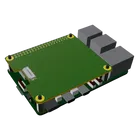
    Template for Raspberry Pi 5 Model Shield. Include an official pinout so you will always know Raspberry Pi names, the alternative roles of pins, which one is SDA, or SCL, etc. On PCB you can find the 3D model of the Raspberry Pi itself along with the board outline on the silkscreen. #RaspberryPi #Raspberry #RaspberryPi5 #raspberry #Pi #RPi #Shield #template #project #project-template

    Pricing & Availability

    Distributor

    Qty 1

    Controls