Chat
Welcome to Flux
Treat Flux like your intern. Tell it what you'd like to build and it'll get to work. You can also ask it questions, brainstorm ideas, and teach it your preferences. Learn More
To get started, talk to Flux or create a New Document.
Reviews
Documents
Documents are markdown text files which describe project goals, capture details, or even simulation outputs.
Assets
LMR16006YDDCR.step
LMR16006YDDCR3D ModelSOT95P280X110-6N.kicad_mod
SOT95P280X110-6NFootprintChatGPT Image Sep 26, 2025, 03_31_52 PM.png
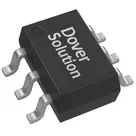
ChatGPT Image Sep 26, 2025, 03_31_52 PMThumbnailLMR16006YDDCR
LMR16006YDDCR LMR16006YDDCR_0_0 Symbol.svgDefaultLMR16006YDDCR
Properties
U
LMR16006YDDCR
SOT95P280X110-6N
LMR16006YDDCR
60
5
600m
Pricing & Availability
See prices from popular manufacturers for your project.
Controls
Welcome 👋
Flux accelerates your PCB design with AI.
Create your account to start using this component and bring your ideas to life.

AI-Powered Component Placement
Let AI place your components intelligently. AI Placement analyzes your schematic and positions components for optimal routing, signal integrity, and board density.
From Schematic to Layout in Seconds
Skip the tedious manual placement. AI Placement generates a starting layout you can refine, saving hours of repetitive work on every new design.
Works With Auto-Layout
Pair AI Placement with Auto-Layout for a complete AI-driven PCB design flow — from component placement through trace routing, all with one click.