Treat Flux like your intern. Tell it what you'd like to build and it'll get to work. You can also ask it questions, brainstorm ideas, and teach it your preferences. Learn More
Based on the provided project information, there are no active components listed, such as microprocessors or ICs, that typically require reset/enable pins. Thus, the task of checking pull-up or pull-down resistors for reset/enable pins is not applicable. However, I suggest you consider the following actions once you add active components:
Identify the components having reset/enable pins.
Ensure each one of these pins is correctly connected to a pull-up or pull-down resistor depending on the requirements for that pin in the datasheet.
Verify the value of these resistors based on manufacturer's recommendation.
Please add the relevant active components to your schematic for further guidance.
2y
Someone is typing...
2
Check that all reset/enable have an external pull-up or pull-down resistors. Rep...
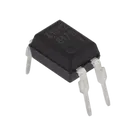
Looking at the project description, I see a component, PC817C, which is an optoisolator transistor and doesn't have a reset/enable pin. Also, the project description mentions that no electrical connections have been made yet. Therefore, it's not possible to verify if all reset/enable pins have pull-up or pull-down resistors.
Going forward, here are the actions you may need to take:
Identify all components that have a reset/enable pin. These are typically microcontrollers, digital logic chips, etc.
For each reset/enable pin, add a pull-up or pull-down resistor. The value of these resistors typically ranges from 1kΩ to 10kΩ, but you'll need to check the data sheet for each component to be sure.
Make the electrical connections in the Flux Schematic editor for these components and resistors.
Re-check the circuit to ensure that the resistors have been correctly placed and connected.
Please note: these actions assume that your design will include other components with reset/enable pins. If your project only includes the optoisolator transistor PC817C, no actions related to reset/enable pins are needed at this point.
2y
Someone is typing...
3
No files yet
Reviews
Documents
Documents are markdown text files which describe project goals, capture details, or even simulation outputs.
jsuarezch
copilot