Buck Regulator Circuit Design
Thought for 57 sec
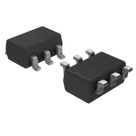
How can I help with your LT1616 buck regulator project? Do you want me to:
- Add the IC and wire up the typical application circuit
- Size the external components for your target VIN, VOUT, and load current
- Review the pinout and enable/shutdown behavior
- Check availability and suggest specific parts
If you’re designing a rail, please share VIN range, desired VOUT, and max load current.

28V and 3.3V output
Thought for 44 sec
I see a buck regulator IC project with its pins represented as terminals. How would you like to proceed?
- Build the datasheet’s typical application around it for your target Vout/Vin.
- Just wire and name the pins, leaving sizing/values for later.
- Source parts and check availability for production.
If you can share:
- Input voltage range, desired output voltage, and max load current.
- Any size/height or cost constraints. I’ll set it up accordingly.
Check regulator needs
Find a 3.3V LDO
USB-C power path
Decoupling review
Buck converter option