Eurorack Module Design Guide
0:33
Reading docs about create and view PCB board outlines.
Here’s the most relevant Flux documentation on defining your board outline so your carrier and front panel appear:
In this tutorial, we'll explore the different ways to create and modify board outlines in Flux, allowing you to customize your PCB shape and size to fit your project requirements.OverviewThe board outline defines the physical boundaries of your PCB and is one of the first design decisions you'll make. Flux provides several options for creating board outlines, from simple shapes to complex custom designs.We'll cover the following topics:Basic Shapes
- Basic shapes: Create circular or rectangular boards with precise dimensions
- Rounded corners: Add rounded corners to rectangular boards for improved manufacturability
- Custom shapes: Import external shapes for complex designs
- Best practices: Guidelines for creating effective board outlines
Flux has built-in support for simple shapes (circular and rectangular). For complex shapes, please refer to the section on Advanced (custom) shapes.
Clarify missing board
Ask about board tab
Create new board
Sync schematic to PCB
Multiple boards question
144 days
Ready.
To get started, talk to Flux or create a New Document.
Reviews
Documents
Documents are markdown text files which describe project goals, capture details, or even simulation outputs.
Assets
step
Daisy Seed.step
3D3D Model
test
defaultDefault
deisy.png
deisyThumbnailkicad_mod
desy.kicad_mod
F-V5FootprintDAISY SEED
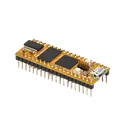
Daisy Eurorack Carrier Board: Advanced DSP Platform for Audio Developers
Properties
Module
graph LR Daisy[Daisy Seed Core] MIDI[MIDI I/O Module] I2C[I2C Header Module] CV[CV Range Switch Module] Daisy --> MIDI Daisy --> I2C Daisy --> CV
Electro-Smith
DAISY SEED
U
Pricing & Availability
Distributor | Qty 1 |
|---|
Controls
Welcome 👋
Flux accelerates your PCB design with AI.
Create your account to start using this component and bring your ideas to life.