Recreating Thread to WiFi Gateway Project
Thought for 1 min 34 sec
Below is a clean, detailed, copy-pasteable prompt you can use to recreate this Flux project from scratch. It captures the project metadata, all components with designators and part names, placements, and all schematic nets with their members. After pasting this into your preferred workflow or to an assistant that can construct Flux projects, it should reproduce the schematic content and netlist. Note: Ground portals and power portals are explicitly included as components, matching this design.
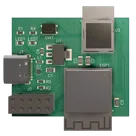
Title: Thread to WiFi Gateway Template
Description:
- This is a Thread to WiFi Gateway Template based on BMD-340-A-R Transceiver Module and ESP32-S2-mini module #smartHome #ESP32S2 #ESP32 #Thread #Zigbee #BMD340 #wifi #gateway #referenceDesign #project #template #hub
Project Properties:
Canvas and Editor:
- Coordinate system: +X to the right, +Y up.
- Start in Schematic mode.
Schematic Components to add with exact designators, library part names, and positions:
- ESP1: ESP32-S2-MINI-2 at (-1456.8, -436.1)
- U2: BMD-340-A-R at (-2055, -433.4)
- U1: AMS1117-3.3 at (-2631.4, -594.5)
- J1: TYPE-C-31-M-12 at (-3137.5, -516.8)
- J2: Pin Socket 02x05 2.54mm Vertical at (-2754.8, -1026)
- D1: TPD3E001DRLR at (-2647.3, -324.4)
- LED1: LED-0603-Template at (-2663, -473.3)
- LED2: LED-0603-Template at (-1871.6, -379.9)
- R1: Res-0603-US-Template-Simlified-Footprint at (-2606.3, -476.8), rotation 180
- R2: Res-0603-US-Template-Simlified-Footprint at (-2987.9, -356.8), rotation 180
- R3: Res-0603-US-Template-Simlified-Footprint at (-2987.9, -376.8), rotation 180
- R4: Res-0603-US-Template-Simlified-Footprint at (-1814.9, -383.4), rotation 180
- C1: Cap-0805-Template No Prop at (-2769, -600.5), rotation 90
- C3: Cap-0805-Template No Prop at (-2477.8, -629.1), rotation 90
- C5: Cap-0805-Template No Prop at (-2290.8, -33.4), rotation 90
- C6: Cap-0603-Template No Prop at (-2744.8, -344.4), rotation 270
- C7: Cap-0805-Template No Prop at (-1680.2, -46.7), rotation 90
- L1: L 0603 (1608 Metric) at (-2979.2, -514.8)
- SW1: PTS815 at (-1782.5, -497.7)
- Ground portals (exact as in project; multiple instances):
- at (-2290.8, -69.8)
- at (-2477.8, -665.5)
- at (-1776.9, -383.4), rotation 90
- at (-1921.4, -272.4)
- at (-1326.9, -375.1)
- at (-2568.3, -476.8), rotation 90
- at (-2769, -647.6)
- at (-2949.9, -376.8), rotation 90
- at (-2949.9, -356.8), rotation 90
- at (-1680.2, -83.1)
- at (-1717, -548.4)
- at (-1585.1, -335.1)
- at (-2694.7, -1064)
- at (-2814.9, -1064)
- at (-3275, -639.1)
- Power Net Portals:
- +3V3 at (-2477.8, -559.6)
- +3V3 at (-2290.8, 2)
- +3V3 at (-2222.1, 2)
- +3V3 at (-1591.4, -11.3)
- +3V3 at (-1680.2, -11.3)
- +3V3 at (-2814.9, -989)
- +3V3 at (-2694.7, -989)
- VBUS at (-2191.85023435682, 2)
- VBUS at (-2744.8, -295.4)
- VBUS at (-2943, -508.8)
- VBUS at (-2769, -558.6)
- Net Portals (signal):
- ESP_RX at (-2678.7, -1012), flipX true
- ESP_TX at (-2678.7, -1026), flipX true
- ESP_RX at (-1329.5, -406.1), flipX true
- ESP_TX at (-1329.5, -426.1), flipX true
- UART_TX at (-1329.5, -466.1), flipX true
- UART_RX at (-1329.5, -486.1), flipX true
- UART_TX at (-1920.2, -743.4), flipX true
- UART_RX at (-1920.2, -723.4), flipX true
- SWDIO at (-2830.9, -1026)
- SWCLK at (-2830.9, -1012)
- BMD_RESET at (-2830.9, -1040)
- SWDIO at (-1896.6, -843.4), flipX true
- SWCLK at (-1896.6, -823.4), flipX true
- BMD_RESET at (-2206.6, -663.4)
- ESP_EN at (-2678.7, -1040), flipX true
- ESP_EN at (-1613.8, -406.1)
- USER_SW at (-1859.00335727567, -496.7)
- USER_SW at (-1933.3, -363.4), flipX true
- USB_D+ at (-2987.9, -456.8), flipX true
- USB_D- at (-2987.9, -436.8), flipX true
- USB_D+ at (-2557.4, -317.4), flipX true
- USB_D- at (-2557.4, -303.4), flipX true
- USB_D+ at (-2192.6, -843.4)
- USB_D- at (-2192.6, -823.4)
Schematic Netlist (create nets and add exact members):
-
Net: GND Members:
- ESP1: GND
- U1: GND
- C1: P1
- C5: P1
- C7: P1
- J2: Pin_9
- D1: GND
- R1: P1
- J2: Pin_10
- R3: P1
- R4: P1
- C6: P2
- C3: P1
- SW1: ~2
- SW1: ~4
- U2: GND
- J1: SHIELD
- J1: GND
- R2: P1
-
Net: Net 1 Members:
- J1: CC1
- R2: P2
-
Net: Net 2 Members:
- J1: CC2
- R3: P2
-
Net: Net 3 Members:
- USB_D-: P1
- U2: USB-D-
- J1: DN1
- J1: DN2
- D1: IO1
-
Net: Net 4 Members:
- J1: DP2
- J1: DP1
- USB_D+: P1
- D1: IO2
- U2: USB-D+
-
Net: Net 5 Members:
- LED1: K
- R1: P2
-
Net: Net 6 Members:
- J1: VBUS
- L1: P1
-
Net: Net 7 Members:
- J2: Pin_3
- SWCLK: P1
- U2: SWCLK
-
Net: Net 8 Members:
- ESP_EN: P1
- ESP1: EN
- J2: Pin_8
-
Net: Net 9 Members:
- U2: SWDIO
- SWDIO: P1
- J2: Pin_5
-
Net: Net 10 Members:
- BMD_RESET: P1
- J2: Pin_7
- U2: P0.18
-
Net: Net 11 Members:
- ESP1: IO19
- UART_RX: P1
- U2: P1.14
-
Net: Net 12 Members:
- UART_TX: P1
- ESP1: IO18
- U2: P1.15
-
Net: Net 13 Members:
- LED2: K
- R4: P2
-
Net: Net 14 Members:
- U2: P0.29
- LED2: A
-
Net: Net 15 Members:
- ESP1: RXD0
- ESP_RX: P1
- J2: Pin_4
-
Net: Net 17 Members:
- ESP_TX: P1
- J2: Pin_6
- ESP1: TXD0
-
Net: +3V3 Members:
- U1: VOUT
- U1: TAB(VOUT)
- C3: P2
- +3V3: P1
- J2: Pin_2
- C7: P2
- ESP1: 3V3
- U2: VCC1
- U2: VCCH1
- C5: P2
- J2: Pin_1
-
Net: +5V Members:
- VBUS: P1
- L1: P2
- C6: P1
- D1: VCC
- LED1: A
- U2: VBUS
- C1: P2
- U1: VIN
Implementation notes and constraints:
- Preserve the component rotations and flips as specified.
- Ground is implemented via the Ground component portals; do not assume implicit net naming for ground without placing these portals.
- USB data lines (D+/D-) connect through ESD array TPD3E001DRLR and to the BMD-340 and connector as specified.
- VBUS from USB-C passes through L1 to +5V net, with local decoupling as listed.
- +3V3 rail is generated by AMS1117-3.3; ensure its output and tab are tied to +3V3 and input to +5V; include capacitors per the connections above.
- SWDIO/SWCLK/BMD_RESET are broken out to J2 and to BMD-340; maintain those exact net names for debugging header interoperability.
- ESP32-S2-MINI-2 reset (EN) is broken out via net portal ESP_EN to J2.
- UART between ESP and BMD-340 is cross-connected via net portals and IO18/IO19; keep exactly as listed.
End of prompt.
Import project prompt
Generate PCB layout
Export BOM
Run connectivity check
Define net classes