Chat

Welcome to Flux

Treat Flux like your intern. Tell it what you'd like to build and it'll get to work. You can also ask it questions, brainstorm ideas, and teach it your preferences. Learn More

Explain project
Write a project description
Find schematic issues
Create a test plan
Simulate a circuit
Prepare for Manufacturing
Component Selection Workflow
New Subsystem Wizard
This demo is a simple blink. When switch SW1 is closed flux detect an event "pow...

This demo is a simple blink. When switch SW1 is closed flux detect an event "power on" and start simplified code Sinusoidal Generator at pin 'GP28'.
5y
Someone is typing...
2
This demo is a PWM controlled LED. When switch SW2 is closed flux detect an even...

This demo is a PWM controlled LED. When switch SW2 is closed flux detect an event "power on" and start simplified code Sinusoidal Generator at pin 'GP20'. But in this example, the PWM duty cycle will depend on resistance of R3. R3 will work as a voltage divider. So we demonstrate PWM output and ADC reading at the same time.
5y
Someone is typing...
3
In this example, we demonstrating digital read and digital write features. When ...

In this example, we demonstrating digital read and digital write features. When switch SW3 is closed flux detect an event "power on" and start a code that read voltage at pins 'GP3' and 'GP6'. If we have a 'high'(5 volts) logic level at pin 'GP3' (button B1 is pressed) then we generate a 'high'(5 volts) logic level at pin 'GP19'(LED3 is ON) If we have a 'high'(5 volts) logic level at pin 'GP6' (button B2 is pressed) then we generate a 'high'(5 volts) logic level at pin 'GP16'(LED3 is ON)
5y
Someone is typing...
4
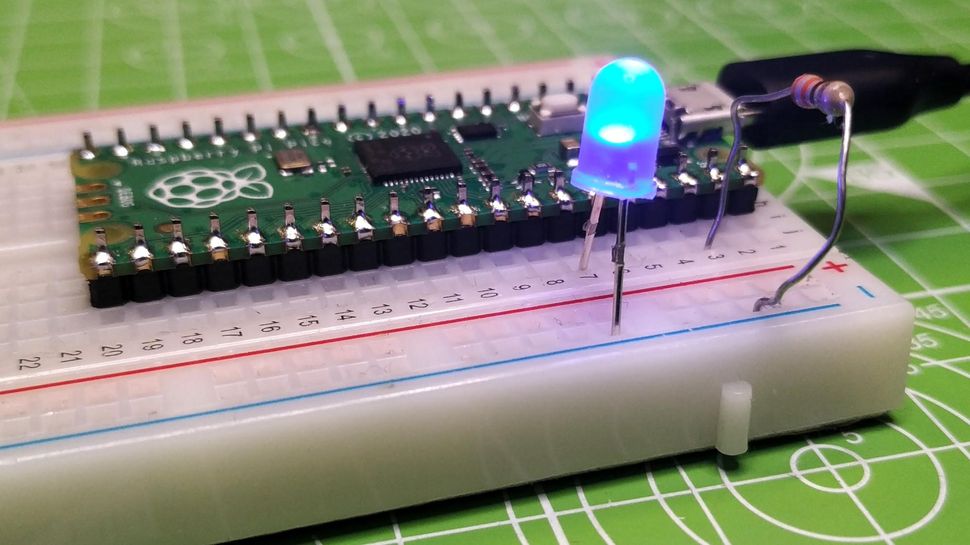
https://cdn.mos.cms.futurecdn.net/W8ehUBTU2fng3VwG2nGLHP-970-80.jpg

from machine import Pin import utime led = Pin(28, Pin.OUT) led.low() while True: led.toggle() print("Toggle") utime.sleep(1)
5y
Image

Image

https://cdn.mos.cms.futurecdn.net/W8ehUBTU2fng3VwG2nGLHP-970-80.jpg
5y
Someone is typing...
1
S1
PICO1
S3
PICO2
S2
R2
Resistance
10 Ω
B2
D3
R8
Resistance
10 Ω
PS1
PS1
D4
D5
R3
Resistance
10 Ω

To get started, talk to Flux or create a New Document.

Documents

    Documents are markdown text files which describe project goals, capture details, or even simulation outputs.

    Assets

    No assets added.

    RPi-Pico-examples

    RPi-Pico-examples thumbnail

    Properties

    Properties describe core aspects of the project.

    Pricing & Availability

    Distributor

    Qty 1

    Arrow

    $10.80

    Digi-Key

    $8.00–$8.00

    LCSC

    $12.33

    Mouser

    $8.00

    Controls