STL File Analysis Assistance

1:04

Reading docs about How to import an STL or STEP 3D model and attach it to a PCB footprint or board in Flux, and how to align it for mounting hole placement..

Reading docs about Attach or import a custom 3D model (STL/STEP/OBJ) into a PCB in Flux and align it for mechanical references or mounting holes..

Reading docs about How to add/import a custom 3D model file (STEP/STL/GLB) as an asset in Flux PCB editor and place it on the board.

Anladım: STL modeli PCB’nize ekleyip montaj deliği referansı olarak kullanmak istiyorsunuz. Flux dokümantasyonunda STL/3D model içe aktarma adımlarına dair doğrudan bir yönerge bulamadım. Bu muhtemelen Flux’ta STL model içe aktarma özelliğinin şu an bulunmadığı anlamına geliyor.
  • İlgili bulunan içerikler:
    • “External assets” sayfası, desteklenen 3D varlık formatları olarak STEP, STP, DXF, GLB’yi listeliyor; STL geçmiyor. Alıntı: “Currently available formats are: .step, .stp, .dxf, .glb …” Source
    • PCB Editor FAQ, 3D model “export” konusunu anlatıyor (STL/STEP dışa aktarma), ancak içe aktarma yok. Source
İsterseniz:
Eğer montaj deliği yerleşimini bu modele göre belirlemeniz gerekiyorsa, bana gerekli ölçüleri (ör. delik çapı, delikler arası merkez mesafesi, PCB referans noktasına göre offsetler) yazın; tasarımda doğru yerlere delik/keepout yerleşimi konusunda yardımcı olayım. Alternatif olarak, modelinizin STEP sürümü varsa, onu paylaşmanız süreci hızlandırır.
165 days
step nasıl yükleyeceğim
165 days

0:26

Reading docs about How to import a STEP (.step, .stp) 3D model into a Flux PCB project and align it for mounting holes or mechanical reference. Steps to add external assets, attach 3D model to board or footprint, and position/orient/scale it. Also how to place mounting holes and keepouts using the model as reference..

İstediğiniz: STEP dosyasını Flux’ta projeye eklemek. Flux dokümantasyonunda konuyla en ilgili kayıt şöyle diyor:
“External assets are used to leverage existing files (STEP, SVG, KICAD_MOD, etc) to improve Flux designs. Currently available formats are:
  • .step, .stp, .dxf, .glb: 3D models
  • .kicad or .kicad_mod: Importing Components from Other EDA Tools to Flux
  • .svg: Symbols, PCB outline and Creating Custom Shapes in Flux
  • .dxf: PCB outline and Creating Custom Shapes in Flux” Kaynak
Ek adım ister misiniz?
  • STEP modelini 3D varlık (asset) olarak ekleyip kart üzerinde referans olarak konumlandırma.
  • Ardından montaj deliklerini yerleştirme ve hizalama.
STEP varlık ekleme
STEP modelini ekleme adımları
Montaj delikleri ve hizalama
3D varlık paneli
Ölçeklendirme yöntemi
165 days

To get started, talk to Flux or create a New Document.

Documents

    Documents are markdown text files which describe project goals, capture details, or even simulation outputs.

    Assets

    MX-NO-LED-tastatur

    MX-NO-LED-tastatur

    defaultDefault
    step

    Cherry MX 3D simple .step

    Cherry MX 3D simple 3D Model
    kicad_mod

    SW_Cherry_MX_1.00u_PCB-FS.kicad_mod

    SW_Cherry_MX_1.00u_PCB-FS
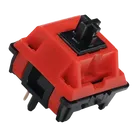
    Raptor MX image.png

    Raptor MX image.png

    Raptor MX imageThumbnail
    step

    Cherry MX 3D Kailh Polia.step

    Cherry MX 3D Kailh Polia

    Raptor MX Gaming Switch

    Raptor MX Gaming Switch thumbnail
    Geonworks Raptor MX Gaming Switch Pushbutton Switch SPST-NO Keyswitch Through Hole This switch is used in keyboards like: Planck Vortexgear KBD67 ErgoDox leopold WorkLouder Varmilo Ducky Durgod Mistel Keebio Iris iKBC WASD Keychron Filco GATERON MMD HMX Geonworks and many others #Cherry #CherryMX

    Properties

    Switch

    Geonworks

    Raptor MX Gaming

    SW

    Pricing & Availability

    Distributor

    Qty 1

    Controls