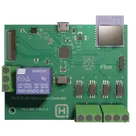
Comprehensive Schematic Engineering Review
Project: PICO Smart Automation Controller
Review date: 2026-07-30
Scope: Full schematic, net connectivity, ERC/manufacturing checks, power validation, and interface-level datasheet review.
Mutation policy: Read-only; no design changes were made.
Overall verdict
NOT READY FOR PROTOTYPE RELEASE
The main blockers are under-driven FOD8314 inputs, missing isolated-side decoupling and supply definition, unreliable ESP8266 boot/reset biasing, an unspecified RP2350 core-regulator inductor, a relay driver without guaranteed CTR/base-current margin, direct connection of probable MIPI camera lanes to incompatible RP2350 GPIO, and missing USB ESD protection. The power source/current contract and several external-load requirements are also undefined.
Evidence summary
- 209 schematic objects and 81 nets reviewed.
- ERC: 14 floating-pin findings, 4 undriven FOD8314 VDD findings, and 1 unannotated graphic.
- Manufacturing review: 52 objects/components without MPNs.
- Critical nets were inspected directly and reconciled against component datasheets.
- Several ERC floating-pin findings are intentional no-connects; the four FOD8314 power findings are real external-power dependencies.
Critical findings
C1 — FOD8314 inputs are below the guaranteed switching region
Affected: U4–U7, R21–R24 = 1 kΩ, U3 GPIO22–GPIO25.
Each RP2350 output drives a FOD8314 input LED through 1 kΩ. At 3.3 V:
- Typical estimate:
(3.3 V - 1.1 V) / 1 kΩ ≈ 2.2 mA
- Worst-case using VF = 1.8 V:
≈1.5 mA
The FOD8314 recommends approximately 10–16 mA input current, while its switching threshold can be as high as 7.5 mA. The existing channels therefore cannot be guaranteed to turn on.
Correction: Target at least 10 mA using approximately 150–220 Ω after checking worst-case RP2350 VOH, FOD8314 VF, resistor tolerance, and aggregate GPIO current. Four simultaneous 10 mA channels add about 40 mA to the I/O supply; use a buffer/transistor stage if this GPIO loading is undesirable.
C2 — FOD8314 output-side supply and decoupling are incomplete
Affected: U4–U7 VDD/VSS/VO, J2/J5, Nets 76/77.
All four VDD pins are supplied externally through J2 pin 3 and all VSS pins share J2 pin 2. This explains the four ERC power errors. No local VDD-to-VSS capacitors exist.
Correction:
- Define the isolated supply voltage/current; FOD8314 normally operates from a high-voltage gate-driver supply, not a generic logic rail.
- Add one 100 nF local ceramic capacitor across VDD/VSS at every driver.
- Add suitable shared/local bulk capacitance based on switching load and wiring.
- Define the actual MOSFET/IGBT or other load, gate resistance, clamp, safe off-state, and fault behavior.
- Confirm that the four channels are intentionally isolated only from the MCU side; their output sides share the same supply and are not isolated from one another.
C3 — Probable MIPI camera lanes are incompatible with RP2350 GPIO
Affected: FPC1 and CAM_CK_P/N, CAM_D0_P/N, CAM_D1_P/N.
The differential-style clock/data signals connect directly to ordinary RP2350 GPIO. RP2350 has no MIPI CSI-2 controller, D-PHY receiver, or general-purpose differential input receiver. Its HSTX capability is output-only and cannot receive a camera D-PHY stream.
Correction: If this is a MIPI CSI-2 camera, use a CSI-2 receiver/bridge, FPGA, or processor with native CSI-2. If it is not MIPI, provide the exact camera MPN and interface specification and rename/document the nets accordingly.
C4 — ESP8266 boot configuration is incomplete
Affected: ESP1 IO0, IO2, IO15, EN, and RST.
- IO15 is floating but must be low at boot: true functional error.
- IO2 may float because the module includes a pull-up, though an explicit design decision is preferable.
- IO0 floating permits normal boot but provides no defined programming/recovery control.
- EN and RST are driven directly by RP2350 GPIO18/GPIO17 without reliable passive pull-ups or RC timing. They can become undefined while the RP2350 is reset or unpowered.
Correction: Add an approximately 10 kΩ pull-down to IO15, defined pull-ups and recommended RC networks on EN/RST, and a controlled IO0 programming path if UART recovery is required. Verify power sequencing and backfeed behavior.
C5 — RP2350 core-regulator inductor L3 is unspecified
Affected: L3, VREG_LX, VREG_FB, DVDD, 1V1.
L3 has no inductance, current rating, saturation current, DCR, tolerance, or MPN. Current Raspberry Pi guidance uses a validated 3.3 µH inductor for this network.
Correction: Assign a validated 3.3 µH part such as the reference-design class, verify saturation/RMS current and DCR, and follow the reference placement/orientation. Confirm local 100 nF decoupling at each DVDD supply pin in PCB placement.
C6 — Relay pickup is not guaranteed
Affected: IC1, R20, LED2, R1, Q2, K1, D2, VSYS.
Input path: VSYS → R20 1 kΩ → LTV-817 LED → LED2 → RP2350 GPIO6.
At 5 V, using approximately 1.2 V optocoupler VF and 2.0 V indicator VF:
IF ≈ (5 - 1.2 - 2.0) / 1 kΩ ≈ 1.8 mA
The LTV-817 minimum CTR is specified at a higher input current, so guaranteed output current cannot be inferred at 1.8 mA. The SRD-05VDC relay coil may require approximately 71–89 mA. A conservative forced beta of 10 requires roughly 7–9 mA of Q2 base current, which this optocoupler path cannot guarantee.
Correction: Redesign using a guaranteed optocoupler current/CTR rank and a logic MOSFET or adequately driven transistor. Validate the exact relay coil variant. D2 is oriented correctly for flyback, but its repetitive current/surge rating must be confirmed.
High-priority power and protection findings
H1 — System current and USB-source margins are not proven
Known loads/limits:
- RT6150B: up to approximately 800 mA output.
- ESP8266 supply should support approximately 500 mA transient capability.
- Corrected FOD8314 inputs: approximately 40 mA for four channels.
- Relay coil: approximately 71–89 mA directly from VSYS.
- RP2350, QSPI flash, LEDs, and FPC load remain additional.
A 600–700 mA 3.3 V peak can demand roughly 0.46–0.58 A from a 4.7 V input at 85–90% efficiency. Adding the relay can exceed a standard 500 mA USB allocation.
Correction: Define whether J4 is connected to a standards-compliant host or a dedicated 5 V adapter. Create typical/peak load profiles for RP2350 workload, ESP transmit, FPC peripheral, relay, and isolated outputs. Verify D1 loss, RT6150 transient response, and 3V3 droop during simultaneous Wi-Fi transmission and relay pickup.
H2 — RT6150 passives are nominally plausible but not qualified
- L2 = 2.2 µH is within the regulator’s normal selection range.
- C16/C5 = 47 µF nominal provide substantial input/output capacitance.
- FB tied to VOUT is correct for the fixed 3.3 V part.
However, L2 lacks Isat, RMS current, DCR, tolerance, and MPN. C5/C16 lack voltage ratings, dielectric, tolerance, ESR, and DC-bias data; a 47 µF 0805 MLCC may lose much of its capacitance under bias.
Correction: Select purchasable, rated parts and verify effective capacitance at 5 V/3.3 V and temperature. Check inductor peak current against the regulator’s worst operating point.
H3 — USB protection is missing
R5/R9 = 27 Ω series resistors are appropriate in principle, but there is no low-capacitance D+/D− ESD array, VBUS transient protection, or fuse/current limiter.
Correction: Add a USB 2.0 ESD device adjacent to J4, evaluate VBUS protection/current limiting, and define shield-to-ground/chassis handling. Preserve 90 Ω differential routing in layout.
H4 — External connector protection and hazardous-load requirements are undefined
J1 relay contacts, J2/J5 field-side outputs, and FPC1 have no complete ESD/surge/load protection strategy. Relay contact voltage, current, inrush, AC/DC load type, switching life, creepage/clearance, and regulatory category are not specified.
Correction: Do not treat the board as suitable for mains or hazardous voltage until working voltage, pollution degree, overvoltage category, altitude, enclosure, fusing, suppression, and isolation spacing are defined and verified.
MCU, memory, and interface findings
RP2350 power network
The major supply connectivity is generally coherent:
- IOVDD, QSPI_IOVDD, and USB_OTP_VDD are on 3V3.
- VREG_VIN has 4.7 µF.
- VREG_AVDD uses 33 Ω and 4.7 µF, matching the reference topology.
- DVDD pins connect to 1V1.
- The 1V1 rail includes bulk and high-frequency bypassing.
Open item: ensure each relevant IOVDD/DVDD pin has a local 100 nF capacitor in PCB placement and verify MLCC effective capacitance.
Crystal network
Y1 = 12 MHz with two 15 pF capacitors and a 1 kΩ series resistor matches the RP2350 reference pattern. It is electrically acceptable subject to compact, symmetric PCB placement and grounded crystal case pads.
QSPI flash
The QSPI mapping is consistent and U2 has 100 nF plus 4.7 µF decoupling. U2 EP may legally float for this XSON package; it is not automatically a critical defect. Mark it explicitly according to the exact package recommendation. R11, the QSPI CS pull-up, has no value and must be assigned deliberately—typically around 10 kΩ subject to the RP2350 reference design.
Analog/ADC network around Q1
Q1 has its gate fixed at 3V3 while its source/drain and resistor network feed GPIO29_ADC3. This behaves as a nonlinear MOSFET threshold/source-follower arrangement, not a precise divider. DMG1012T threshold voltage is not an accurate analog reference and varies with current and temperature.
Correction: Define the intended function. If measuring VSYS, use a calculated resistor divider, RC filter, and documented input-clamp/protection strategy.
SWD
J3 provides SWCLK, GND, and SWDIO through 100 Ω series resistors. It can work with a compatible probe, but lacks VTref, RUN/reset, and a keyed standard pinout.
FPC control signals
CAM_SDA/SCL have no visible external pull-ups. Verify whether the camera module provides them; otherwise select pull-ups from bus voltage, speed, and capacitance. The exact FPC pinout, contact orientation, cable orientation, and I/O voltage remain unverified.
CAN
No CAN transceiver, CANH/CANL nets, termination, protection, or CAN connector is present. If CAN remains a project requirement, it is not implemented in the current schematic.
ERC reconciliation
True/actionable
- U4–U7 VDD undriven: intentional external supply may explain ERC, but supply definition and decoupling are genuinely incomplete.
- ESP1 IO15 floating: true boot error.
- EN/RST bias issues are not caught by ERC because the pins are connected.
Intentional or potentially acceptable no-connects
- U2 EP: may float or connect to GND depending on exact package guidance.
- J4 ID: open is normal for Micro-B device mode; mark NC explicitly.
- U3 GPIO0/GPIO1: ordinary unused GPIO.
- ESP1 IO5, IO12, IO16, IO13, TOUT, IO14, IO4: acceptable if intentionally unused.
- ESP1 IO2: internal pull-up normally permits floating.
- ESP1 IO0: floating supports normal flash boot but leaves programming recovery undefined.
Use explicit no-connect markers to distinguish intentional unused pins from omissions.
Manufacturability findings
- 52 MPN findings remain, including all generic resistors/capacitors, LEDs, L2/L3, and J3.
- R11 has no resistance value.
- L2/L3 and bulk capacitors lack critical electrical ratings.
- Extensive 0201 use increases prototype assembly/rework difficulty without an obvious density requirement.
- Exact purchasable parts must be selected before ratings, stock, and assembly readiness can be validated.
Requirements needed to close the review
- Exact camera module MPN and electrical protocol.
- FOD8314 isolated-side voltage/current and connected loads.
- Whether all four isolated outputs may share one output-side supply.
- Relay coil sensitivity variant and contact load specification.
- RP2350 workload/clock and simultaneous peripheral activity.
- USB host versus dedicated-adapter power contract.
- ESP programming and recovery method.
- CAN requirement, bitrate, topology, isolation, and connector specification.
- Environmental and hazardous-voltage/regulatory requirements.
- Qualified MPNs for L2, L3, capacitors, LEDs, and other generic passives.
Recommended correction order
- Resolve the camera architecture and field-side FOD8314 application.
- Correct FOD8314 input drive and output-side decoupling.
- Add ESP8266 boot, EN, RST, and programming networks.
- Assign the correct RP2350 L3 and QSPI R11 values.
- Redesign and calculate the relay driver using worst-case CTR and coil current.
- Complete the typical/peak power budget and define the USB source contract.
- Add USB and connector-level ESD/surge protection.
- Assign manufacturable MPNs and ratings.
- Mark intentional no-connects and rerun ERC until all remaining findings are justified.
Final verdict: NOT READY.