Arduino Digital Output Connections

Project Brief: Smart Coffee Bean Feeder Controller
Core Objective: Design a control board for an Arduino-based coffee bean feeder with variable speed control and automatic jam clearing via current sensing.
Key Components:
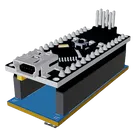
Microcontroller: Arduino Nano Every (or ATmega328P based).
Motor Driver: DRV8833 Dual H-Bridge (to drive a single GA12-N20 6V motor).
Current Sensor: ACS712-05B (5A version) connected in series with the motor output.
Control: 10k Ohm Linear Potentiometer for speed adjustment.
Power Input: USB-C Breakout (5V regulated input) with an ON/OFF Rocker Switch on the 5V line.
Connections & Logic:
Connect USB-C 5V to a master switch. The output of the switch powers the Nano 5V pin, DRV8833 VCC, and ACS712 VCC.
Potentiometer wiper to Nano A1.
ACS712 OUT to Nano A0.
Nano D3 (PWM) to DRV8833 IN1; Nano D4 to DRV8833 IN2.
The motor is connected across DRV8833 OUT1/OUT2, with the ACS712 measuring the loop current.
Constraints:
Board Size: Compact, target sub-50mm x 50mm.
Trace Widths: Use 20mil traces for power rails (5V and GND) and 10mil for signals.
Manufacturing: Optimize for a 2-layer JLCPCB or similar standard fab.
Action: Please propose a functional block diagram and then generate the schematic.
Thought for 1 min 6 sec
You want a compact (< 50 mm x 50 mm) 2-layer Arduino-based coffee bean feeder controller with USB-C 5 V power + rocker switch, DRV8833 motor drive, ACS712 current sensing, and a 10k pot input.
Plan is ready - click Start to run it:
- Create the functional block diagram (power, control, drive, sense).
- Build the schematic with Arduino Nano Every (or ATmega328P), DRV8833, ACS712-05B, 10k potentiometer, USB-C breakout, and a rocker switch.
- Apply constraints (2-layer; 20 mil power, 10 mil signals) and verify ERC/DRC.
Use Nano Every module
Choose ATmega328P option
Pick USB-C connector
Check ERC/DRC issues
To get started, talk to Flux or create a New Document.

Welcome 👋
Flux helps you build PCBs faster with an AI teammate!
Create your account to collaborate, stay updated, fork your own version, and get instant answers from our AI agent.