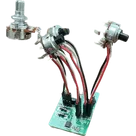
Guitar Pedal Project Overview
Thought for 2 mins 19 sec
Here’s a clear walkthrough of this Guitar Pedal Template project: what it is, what’s in it, how the pieces connect, and how you can extend it.
Purpose
- A starter “stompbox” template to speed up DIY guitar pedal builds.
- Provides standardized I/O (input/output 1/4-inch jacks via headers), a 9 V power header, a 3PDT true-bypass wiring header (to an external switch breakout), and a 3-pin potentiometer header.
- PCB size targets a 125B enclosure; design rules match JLCPCB 2-layer defaults.
Core components and roles
Guitar Pedal Template core hardware
Table
| Component | Link | Role |
|---|---|---|
| Power header (2-pin) | J1 | 9 V supply in (P1 = 9 V, P2 = GND). Feeds the pedal circuit and any switch/LED wiring. |
| Input jack header (2-pin) | J2 | Off-board input jack wiring. P1 typically Tip (signal), P2 Sleeve (GND). |
| Output jack header (2-pin) | J3 | Off-board output jack wiring. P1 Tip (signal), P2 Sleeve (GND). |
| 3PDT breakout header (6-pin) | SW1 | Connects to a footswitch breakout to implement true-bypass and optional LED control. |
| Potentiometer header (3-pin) | VR1 | For a board-mounted or wired pot (e.g., gain, tone, level). |
| Circuit ingress portal | CircuitInput | Logical entry point for your effect circuit’s input. |
| Circuit egress portal | CircuitOutput | Logical output from your effect circuit back to the bypass/switch/output wiring. |
| Input jack portal | InputJack | Named net portal tying to input wiring (helps keep the schematic organized). |
| Output jack portal | OutputJack | Named net portal tying to output wiring (organizes schematic). |
How they interact
- Offboard I/O:
- Bypass switching:
- The 3PDT wiring is abstracted by SW1 (01x06 header) intended to mate with an external switch breakout, simplifying chassis wiring.
- The signal path (input -> effect -> output) or direct-through (true-bypass) is achieved by wiring between J2, J3, your effect taps (CircuitInput, CircuitOutput), and the switch header.
- Power:
- 9 V comes in on J1 (P1 = +9 V, P2 = GND per the note). Your effect circuit will derive its rails from here.
- Control:
- VR1 provides a convenient 3-pin interface for a pot (e.g., connect end-to-end across a node and ground, wiper back to the circuit).
Net-level summary (as provided)
- Net 1: SW1:Pin_1 ↔ J3:P1
- Net (J3 - Pin_2): SW1:Pin_3 ↔ J1:P1
- GND: SW1:Pin_4, J2:P2, J1:P2, J3:P2
- Net 7: SW1:Pin_6 ↔ J2:P1
- Net 5: SW1:Pin_5 (currently only this node)
- Net 6: SW1:Pin_2 (currently only this node)
Design, implementation, and functionality
- Schematic organization
- Net portals (InputJack, OutputJack, CircuitInput, CircuitOutput) keep the drawing tidy while maintaining correct electrical connectivity.
- The central work area “Put the circuit here” is where you place your actual effect (e.g., buffer, boost, distortion, filter).
- Offboard wiring minimization
- Using 2-pin headers for jacks and power reduces chassis hand-wiring; the 6-pin header for the 3PDT routes the complex bypass to a small breakout board.
- PCB/layout baseline
- 2-layer stack aimed at low-cost fab (JLC rules).
- Board size is pre-tuned for a 125B enclosure for mechanical fit.
Key technologies, dependencies, and design choices
- “True-bypass” approach via 3PDT
- Pros: preserves tone when bypassed; simple to service.
- Cons: mechanical pops on switching; more wiring than relay/FET soft-bypass solutions.
- Offboard headers vs direct panel-mount
- Pros: faster assembly, clearer serviceability, standardized harnessing.
- Cons: adds connectors and harnesses; potential added series resistance/inductance and failure points if strained.
- Grounding strategy (important for noise)
- Prioritize ground separation over supply separation; return paths dominate noise coupling. Keep noisy/high-current return paths away from sensitive input returns.
- If you later add a switching regulator or digital blocks, manage the ground plane carefully to prevent ground bounce coupling into analog paths via shared returns.
- Mechanical dependency
- Relies on a 3PDT switch breakout and offboard jacks matched to the headers.
- 125B enclosure sizing informs control/jack placement and wiring lengths.
Potential challenges and performance considerations
- Switch pop and thumps
- True-bypass mechanical switching can inject pops if coupling caps are charged or inputs float. Consider adding an input pulldown and providing DC paths for caps to discharge.
- Hum/noise and ground loops
- The instrument, power supply, and chassis grounds can form loops. Keep a clean input ground reference and avoid mixing high-current returns with the input return near the jack.
- Power integrity
- Daisy-chained pedal supplies inject ripple and transients. Add bulk and high-frequency decoupling near where your effect taps power; consider reverse-polarity protection at the 9 V entry.
- ESD and hot-plugging
- Jacks can see ESD events; consider adding series resistors, input clamp diodes, or a small RC for bandwidth-limiting as your effect requires.
- Mechanical stress
- Wires between headers and chassis hardware should be strain-relieved to prevent header solder joint fatigue.
Optimizations and trade-offs
- Bypass architecture
- True-bypass is simple but noisy; a relay- or JFET-based soft-bypass can reduce pops and allow LED control via logic at the cost of complexity and power.
- Grounding and routing
- Use a star ground strategy around the input jack region and isolate high-current or switching returns. Keep the input trace short and away from power traces.
- Input impedance and buffering
- A high-impedance input buffer immediately after the jack can reduce tone loss and noise pickup; it also gives you freedom to place pots elsewhere without loading the pickups.
- Power entry
- Add reverse-polarity protection (series Schottky or ideal diode controller), an input TVS, and an LC/RC filter to suppress supply noise without audible sag.
- LED indication
- Allocate one pole of the switch breakout or a driver transistor for status LED with a current-limiting resistor mounted on the PCB.
Real-world applications
- A baseline for boosts, distortions, fuzzes, EQ/filters, and simple modulation where in/out, one or more pots, a 3PDT switch, and 9 V input are standard.
- Fast prototyping for teaching, DIY kits, or rapid effect iteration.
Areas for improvement, scalability, and future enhancements
- Power and protection
- Add a DC barrel jack footprint and on-board reverse-polarity, surge/ESD protection, and input filtering.
- Optional regulator or charge pump if your effect needs cleaner or alternate rails (e.g., virtual ground or bipolar supply).
- Better documentation on-Board
- Label header pins with functions (Tip/Sleeve, +9 V, GND, LED+, LED-) and add silkscreen arrows for wire dress. Give SW1 a clear pin map for the intended breakout.
- Signal integrity
- Reserve space for input pulldown, input RF filter, output series resistor, and coupling caps as footprints you can stuff as needed.
- Alternative bypass
- Provide a relay/FET soft-bypass subcircuit footprint as an option with the same headers for drop-in swapping.
- Mechanical fit
- Add mounting holes aligned for 125B standoffs; pre-place common control/jack patterns to speed mechanical integration.
- Testability
- Add test pads for 9 V, GND, input, output, and your circuit’s key nodes.
If you want, I can help you:
Audit SW1 pin map
Add pop/noise mitigation
Power entry protection
Check grounding strategy