ESP32 First Test Setup
1:55
Determining battery selection guidance.
Gathering battery details for selection.
Proposing battery options.
Linking components and gathering details.
Gathering information for battery selection.
Accessing knowledge base.
Clarifying component links and references.
- Runtime target and workload: average current in your typical mode (WiFi/BLE active vs deep sleep).
- Size/weight constraints: max dimensions and mounting.
- Connector: most dev boards use a 2-pin JST-PH 2.0 mm; confirm your board’s polarity.
- Charging on-board or external: does your board have a LiPo charger? If yes, note its charge current.
- Environment: operating temperature and shipping/storage needs.
- Chemistry/series: use a single-cell 3.7 V nominal LiPo (4.2 V full to ~3.0 V discharged). Pick a protected pack with PCM/BMS.
- Example search: LiPo Battery 3.7V
- Capacity sizing: capacity (mAh) should meet average-current × runtime, and include headroom. Incorporate a Depth of Discharge limit to protect cycle life (avoid sizing to 100% DoD).
- Connector: if your board has a 2-pin battery header, look for a JST-PH 2.0 mm with matching polarity (red=+).
- Example search: JST-PH-2 battery connector
- Discharge capability: ensure the pack’s continuous/peak current rating exceeds your board’s peak draw (ESP32 has short RF current bursts). A 1C-rated pack is generally fine for MCU+radio loads.
- Charging compatibility: if your board charges the pack, ensure pack capacity is appropriate for the board’s charge current (e.g., don’t push >C-rate). If the board regulates 3.3 V with an LDO from the cell, remember: a 1S Li-ion varies from 4.2 V full to ~3.0 V discharged. Verify the LDO’s dropout vs your minimum battery voltage; otherwise consider a buck-boost.
- A protected single-cell LiPo Battery 3.7V, 1200–2000 mAh, with a JST-PH-2 battery connector.
- Works well for most ESP32 dev boards, provides comfortable burst current, and charges reasonably fast on common on-board chargers.
- Your board model (or charger IC/charge current if known)
- Desired runtime and whether WiFi/BLE stays on
- Max battery size and connector type
Ready.
To get started, talk to Flux or create a New Document.
Reviews
Documents
Documents are markdown text files which describe project goals, capture details, or even simulation outputs.
Assets

rp2040.svg
rp2040DefaultXIAO_FS.kicad_mod
XIAO_FS
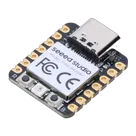
1-102010428-seeed-studio-xiao-rp2040-45font_1-fotor-bg-remover-20231023165720.png
rp2040-pngThumbnailSeeed Studio XIAO RP2040 v26.step
Seeed Studio XIAO RP2040 v263D ModelSeeed Studio XIAO RP2040
Properties
Seeed Studios
Microcontroller
102010428
U
Pricing & Availability
Distributor | Qty 1 |
|---|
Controls
Welcome 👋
Flux accelerates your PCB design with AI.
Create your account to start using this component and bring your ideas to life.