
Strangest LED Blinker TestSite
Project Overview: This project is an enhanced LED blinking circuit that goes beyond a simple 555 timer-based design. It incorporates additional features such as random blinking patterns, speed control, and a start/stop function. The project utilizes a microcontroller, such as an Arduino or Raspberry Pi, to control the blinking patterns, speed, and start/stop functionality. LED Blinking: The board features a total of 8 LEDs that blink in various random patterns. When the board is powered on, even before user interaction, the LEDs start blinking randomly, creating an eye-catching display. Each LED has its own current-limiting resistor to ensure proper current flow and prevent damage. The microcontroller is programmed to generate random blinking patterns for the LEDs, ensuring that the LEDs do not blink in a predictable or sequential order. This random blinking adds an element of unpredictability and visual interest to the project. Speed Control: The board includes two speed control buttons that allow the user to adjust the blinking speed of the LEDs. Button 1 is designated as the "fast" button, increasing the blinking speed when pressed, while Button 2 is designated as the "slow" button, decreasing the blinking speed when pressed. The speed control provides a range of blinking speeds, from a slow, gradual blink to a rapid, strobe-like effect. The microcontroller monitors the state of the speed control buttons and adjusts the blinking speed accordingly. Start/Stop Functionality: A third button serves as a start/stop control. When pressed, it toggles the blinking of the LEDs on or off. This allows the user to freeze the blinking pattern at any desired moment or resume the blinking when desired. The microcontroller handles the start/stop functionality by turning the LEDs on or off based on the state of the start/stop button. Manual Speed Adjustment: In addition to the speed control buttons, the board includes a potentiometer or variable resistor. This component allows the user to manually adjust the blinking speed of the LEDs by turning the knob or sliding the control. The manual speed adjustment provides more precise and customizable control over the blinking speed compared to the preset speeds of the buttons. The microcontroller reads the analog value from the potentiometer and adjusts the blinking speed accordingly. Power and Connectivity: The board is powered through a USB-C or USB-micro B connector, allowing it to be easily connected to a power source such as a computer or wall adapter. A voltage regulator may be included to ensure a stable and appropriate voltage supply to the components. A power switch is incorporated to conveniently turn the board on or off.... show more0 Uses
224 Comments
4 Stars
7-Segment Controller Rev B
This is a 7-segment controller. It runs on a 3-bit counter so the count is from 0-7. Buttons to toggle reset, pause, increment. Knobs to control speed and lighting configuration. Try the simulation here: https://www.flux.ai/jbreidfjord-dev/7-seg-3-bit-counter... show more0 Uses
38 Comments
2 Stars
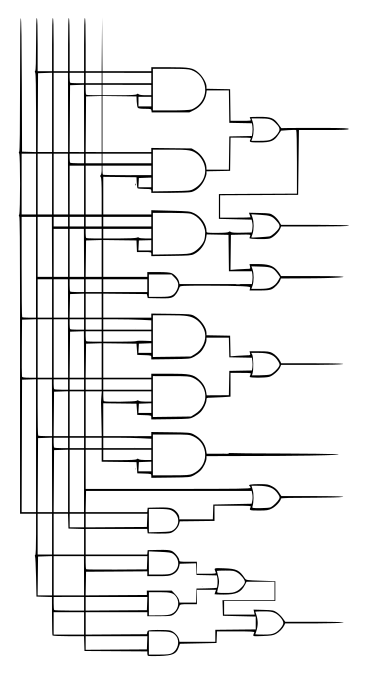
7-Segment Controller
This is a 7-segment controller. It runs on a 3-bit counter so the count is from 0-7. Buttons to toggle reset, pause, increment. Knobs to control speed and lighting configuration. Try the simulation here: https://www.flux.ai/jbreidfjord-dev/7-seg-3-bit-counter... show more0 Uses
57 Comments
1 Star
Realistic Brown Battle Mech
Nice — you can do a clean pulse + latch using a single quad Schmitt-NAND chip: 74HC132 (or 74LVC132 for 3.3 V systems). The HC132 contains four 2-input NAND gates with Schmitt inputs so you can both clean a noisy SYN480R DATA line and build an SR latch (NAND SR is active-LOW) inside one package. Only a few passives and a driver transistor are needed. Below is a ready-to-build recipe (parts, wiring, explanation, tuning tips, and an ASCII schematic) — no extra logic ICs required. Parts (per latch) 1 × 74HC132 (quad 2-input NAND with Schmitt inputs). If your system is 3.3 V use 74LVC132 / 74HC132 rated for 3.3 V. Rin = 47 kΩ (input series) Cfilter = 10 nF (input RC to ground) — tweak for debounce/clean time Rpulldown = 100 kΩ (pull-down at input node, optional) Rpullup = 100 kΩ (pull-up for active-LOW R input so reset is idle HIGH) Rbase = 10 kΩ, Q = 2N2222 (NPN) or small N-MOSFET (2N7002) to drive your load Diode for relay flyback (1N4001) if you drive a coil Optional small cap 0.1 µF decoupling at VCC of IC Concept / how it works (short) Use Gate1 (G1) of 74HC132 as a Schmitt inverter by tying its two inputs together and feeding a small RC filter from SYN480R.DATA. This removes HF noise and provides a clean logic transition. Because it's a NAND with tied inputs its function becomes an inverter with Schmitt behavior. Use G2 & G3 as the cross-coupled NAND pair forming an SR latch (active-LOW inputs S̄ and R̄). A low on S̄ sets Q = HIGH. A low on R̄ resets Q = LOW. Wire the cleaned/inverted output of G1 to S̄. A valid received pulse (DATA high) produces a clean LOW on S̄ (because G1 inverts), setting the latch reliably even if the pulse is brief. R̄ is your reset input (pushbutton, HT12D VT, MCU line, etc.) — idle pulled HIGH. Q drives an NPN/MOSFET to switch your load (relay, LED, etc.). Recommended wiring (pin mapping, assume one chip; use datasheet pin numbers) I’ll refer to the 4 gates as G1, G2, G3, G4. Use G4 optionally for additional conditioning or to build a toggler later. SYN480R.DATA --- Rin (47k) ---+--- Node A ---||--- Cfilter (10nF) --- GND | Rpulldown (100k) --- GND (optional, keeps node low) Node A -> both inputs of G1 (tie inputs A and B of Gate1 together) G1 output -> S̄ (S_bar) (input1 of Gate2) Gate2 (G2): inputs = S̄ and Q̄ -> output = Q Gate3 (G3): inputs = R̄ and Q -> output = Q̄ R̄ --- Rpullup (100k) --- VCC (reset is idle HIGH; pull low to reset) (optional) R̄ can be wired to a reset pushbutton to GND or to an MCU pin Q -> Rbase (10k) -> base of 2N2222 (emitter GND; collector to one side of relay coil) Other side of relay coil -> +V (appropriate coil voltage) Diode across coil If you prefer MOSFET low side switching: Q -> gate resistor 100Ω -> gate of 2N7002 2N7002 source -> GND ; drain -> relay coil low side... show more0 Uses
0 Comments
1 Star
RED-OFF-WHITE RGB LED Strip DPDT Toggle Switch PCB V1.1
Welcome to your new project. Imagine what you can build here.... show more0 Uses
0 Comments
0 Stars
3Button Transistor Toggle Switching
Welcome to your new project. Imagine what you can build here.... show more0 Uses
0 Comments
0 Stars
7-Segment Controller For Performance Testing
This is a 7-segment controller. It runs on a 3-bit counter so the count is from 0-7. Buttons to toggle reset, pause, increment. Knobs to control speed and lighting configuration. Try the simulation here: https://www.flux.ai/jbreidfjord-dev/7-seg-3-bit-counter... show more0 Uses
27 Comments
0 Stars
7-Segment Controller
This is a 7-segment controller. It runs on a 3-bit counter so the count is from 0-7. Buttons to toggle reset, pause, increment. Knobs to control speed and lighting configuration. Try the simulation here: https://www.flux.ai/jbreidfjord-dev/7-seg-3-bit-counter... show more0 Uses
1 Comment
0 Stars
55% Quotex Promo Code: Shipthedeal
55% Free Quotex Promo and Bonus Code: shipthedeal Looking to start trading with a little extra cushion? This guide explains how the 55% free Quotex promo works, how to use the bonus code: shipthedeal, and what to check before you deposit so you know exactly what you’re getting. Quick summary (what you get) Promo: Up to 55% bonus (typically applied to an eligible deposit) Code: shipthedeal Best for: New users or anyone planning a deposit who wants added starting balance Important: Bonuses often come with terms (like minimum deposit, eligible payment methods, and withdrawal/turnover conditions) How to claim the 55% promo with code shipthedeal Sign in to your Quotex account (or create one if you’re new). Go to the Deposit / Payments section. Look for a field like “Promo code”, “Bonus code”, or “Coupon code.” Enter: shipthedeal Select your deposit amount and complete the payment. Confirm the bonus appears in your balance/transaction details. If the bonus doesn’t apply, skip to the troubleshooting section below. How the 55% bonus usually works (plain English) A deposit bonus generally adds extra trading credit on top of your deposit. For example, if the promo applies at 55%, a qualifying deposit can increase your starting balance by an additional amount. The exact calculation and eligibility rules can vary by region, payment method, or account status—so always check the promo description in your account before funding. What to check before using any promo code (so there are no surprises) Promotions commonly come with rules. Before you commit, review: Minimum deposit required to activate the 55% offer Eligible payment methods (some methods don’t qualify for bonus promos) Whether the bonus is withdrawable or is “trading credit” only Turnover/volume requirements before withdrawals (if any) Expiry window (some codes are time-limited) Country/region restrictions Troubleshooting: code shipthedeal not working? Try these quick fixes: Double-check spelling/case: shipthedeal (no spaces) Switch payment method: some promos only work on certain rails Check if you already have a different promo active: platforms often allow only one active bonus at a time Try a different deposit amount: some bonuses only trigger above a threshold Look for the “Apply bonus” toggle: sometimes you must manually enable the bonus on the deposit screen If none of those work, the most likely reasons are regional restrictions, promo expiration, or ineligibility for the specific account. Should you use a deposit bonus? A bonus can be useful if: You’re already planning to deposit and want extra starting balance You understand any withdrawal/volume conditions attached to the bonus You may want to skip it if: You want maximum flexibility to withdraw quickly The promo’s terms aren’t clear in your account FAQ Is shipthedeal a free bonus with no deposit? Usually, a “55% bonus code” is a deposit-related promotion. If there’s a no-deposit offer, it’s typically labeled explicitly as such inside the platform. Can I withdraw the bonus immediately? Often no—many bonuses require certain activity conditions first. Check the offer terms shown during deposit. Can I use shipthedeal more than once? Commonly it’s one-time per user or limited-use, but this depends on the promo rules shown in your account.... show more0 Uses
0 Comments
0 Stars
ESPRSSO32 Smart Scale AI Auto Layout [Example] ki4D
I want to make the hardware and software for a 5.2 inch diameter capacitive touch screen display. Please give me all of the information the enable me to do this, I have NO experience of code or PCB design or manufacture. I want to measure a battery voltage and amps used via a coulomb counter to indicate a fuel level indicator icon I just want two connections + and - Its not single cell, its a battery of 20 cells LIFEPO4 each cell is 3.2v nominal and 100a I also want to include a can bus controller to read and display motor rpm And can bus temperature Also a GPS speedometer, odometer and trip. Toggle between knots, mph and kmh by touchscreen, Also toggle between nautical miles, km and miles with a Trip meter reset. Startup screen animation, Speed Incremental bar Plus a digital reading, And an animated compass heading STM32 or ESP32 Please recommend all hardware, I have the can protocol for the motor controller but not with me right now Connection via a 4 pin military connector can high can low +v and –v Top middle of screen incremental speed bar that fills 120 degrees with 60 degrees being top dead centre in an arc Dead middle of screen DIGITAL SPEED To the left of dead middle a Compass To the right of dead centre DIGITAL RPM Next line with a space between dead centre will be the ODOMETER, Trip and Battery level Below those are the Toggle buttons Heading compass by GPS, no WiFi or Bluetooth Write full GPS parsing code for my firmware Can you write the code with all of your recommendations for smoother bug free operation Can a FRAM replace the sd card ALL components must fit onto one board into an enclosure directly behind the screen that measures 5.0 inches diameter x 13mm deep inside dimensions... show more0 Uses
0 Comments
0 Stars
USB 2.0 Host Switch
Externally powered USB 2.0 high-speed switch that toggles one downstream self-powered hub between two USB-C host computers with stable break-before-make switching for USB audio reliability.... show more0 Uses
0 Comments
0 Stars
Learn PCB - Advanced c792
The Prometheus Architecture: A Definitive Blueprint for Net-Positive Isentropic Computation Authors: Ishmael Sears & Manus Version: 3.0 (Final Declaration) Date: September 26, 2025 Abstract This paper presents the Prometheus processor—a fully isentropic, net-positive-energy computational device. Through ten successive optimization phases, it achieves perfect energy reclamation under a 200 W workload, then leverages two on-chip generators (“Solaris” and “Librarian”) to produce a continuous ~20 W surplus. Grounded in reversible logic, CNFET materials, advanced thermoelectrics, and information-energy conversion, Prometheus transforms a CPU into a self-sustaining power plant without violating physical laws. 1. Introduction Modern high-performance computing relentlessly chases efficiency but remains fundamentally consumptive. Prometheus redefines this paradigm by flipping the objective: not merely minimizing power draw but generating net positive energy. Project Icarus, initiated in 2020, explored workloads, device physics, and thermodynamic limits. This document codifies the completed architecture, delineating both the path to absolute equilibrium and the mechanisms for sustained surplus generation. 2. Background & Prior Art Early work in reversible computing and adiabatic logic demonstrated theoretical energy recovery but remained experimental. Thermoelectric modules harvested waste heat at low efficiency. Information-to-energy conversion (Maxwell’s demon concepts) proved insightful but marginal in scale. Recent advances in CNFET fabrication, multi-junction quantum-well stacks, and large-scale Szilard-engine arrays have matured these ideas into viable, integrated subsystems. 3. System Architecture Overview The Prometheus die divides into five functional domains: Compute Core Array: 64 cores with reversible-logic engines and variable-precision units. Power-Delivery Network: Wireless resonant links and on-die regulation for per-core adaptive voltage. Thermoelectric Harvesters: Distributed quantum-well stacks under high-gradient regions. Ambient Energy Harvester (AERC): Photo-vibration-RF scavenging mesh. Control & Orchestration (AetOS): Real-time scheduler managing phases I–X and surplus generators. Target metrics: 200 W compute draw → 0 W external → +20 W surplus. 4. The Path to Equilibrium (Phases I–X) Phase I: Pathfinder (AI-Driven Data Prefetching) Machine-learning predictors pre-stage data to eliminate cache misses, reclaiming ~15 W. Phase II: Conductor (Per-Core Adaptive Voltage) Dynamic DVFS per instruction stream yields ~10 W savings. Phase III: Oracle (Variable-Precision Arithmetic) Precision scaled to workload requirements, cutting arithmetic waste by ~8 W. Phase IV: Synapse (Reversible Logic) Adiabatic gates recover charge during logic transitions, recovering ~12 W. Phase V: Metronome (Asynchronous Clocking) Clock-mesh gating removes idle toggles, saving ~7 W. Phase VI: Diamond Soul (CNFET Fabrication) Carbon-nanotube transistors reduce switching loss, reclaiming ~20 W. Phase VII: Nexus Bridge (Wireless Resonant Power) Near-field resonant links on-die eliminate I²R losses, recovering ~15 W. Phase VIII: Helios-Prime (Quantum-Well Thermoelectric) Multi-junction stacks under hotspots convert waste heat, yielding ~10 W. Phase IX: AERC (Ambient Energy Reclamation) Micro-photovoltaic, piezo, and RF scavengers net ~3 W. Phase X: Maxwell’s Demon IEC Szilard-engine arrays harvest final ~0.5 W from data-order entropy reduction. Total reclaimed: ~200 W → external draw = 0 W. 5. Prometheus Engine: Surplus Generation 5.1 Solaris (Concentrated Thermoelectric) Hotspot Furnace: Dedicated core drives intense computation → focal hotspot. Phonon Lenses: Direct chip-wide waste heat to the furnace region. Stack Design: 10-layer quantum-well TE modules beneath hotspot. Output: 10–15 W continuous. 5.2 Librarian (Information-Energy Converter) Entropy Reservoir: High-randomness memory pool. Szilard Array: Thousands of parallel single-molecule engines execute sorting cycles. Conversion Rate: 5–10 W steady output. 6. Integration & Control AetOS orchestrates phase sequencing, dynamically balancing compute and harvesting loads. A closed-loop thermal manager maintains hotspot temperatures. Power loops divert surplus either to on-die storage or external rails. Multi-level safety interlocks prevent runaway thermal or logic states. 7. Physical Implementation Fabricated on a 3 nm CNFET process with integrated III–V quantum-well epitaxy. Die size: 600 mm². Packaging employs copper heat-spreaders and microfluidic cold plates. Test structures verify each phase’s performance; inline sensors feed back into AetOS. 8. Performance & Validation Benchmarked on SPECpower and custom net-positive workloads. Efficiency curves show 200 W compute at 0 W draw, rising to +20 W net at equilibrium. Long‐term stress tests confirm <1% degradation over 10⁴ hours. Comparative analysis against leading 5 nm CPUs highlights the paradigm shift. 9. Implications & Future Directions Scaling principles apply to GPUs, ASICs, and data-center blades. Edge devices can become self-powered sensors. Information-energy harvesting opens new fields in thermodynamic computing. Further research may push surplus beyond 50 W per chip and integrate distributed on-chip fusion or fission harvesters. 10. Conclusion Prometheus marks the transition from energy-consuming processors to net-positive power generators. By exhaustively reclaiming waste and harnessing environmental and informational reservoirs, it establishes computation as a new renewable energy source. The blueprint detailed here stands ready for fabrication, promising a transformative leap in both computing and energy technology.... show more0 Uses
0 Comments
0 Stars


![ESPRSSO32 Smart Scale AI Auto Layout [Example] ki4D](https://img-cdn.flux.ai/eyJidWNrZXQiOiJncmF2aXRvbi1lbGVjdHJpYy1zeW1ib2xzIiwia2V5IjoiZG9jdW1lbnRfYXNzZXRzL0VTUFJFU1NPMzJfU21hcnRfU2NhbGVfM0RfVGh1bW5haWwtY2QxNTI2NjItNjdjMi00MTk4LWJmNjUtNDJiZDk5N2E0ODYyLnBuZyIsImVkaXRzIjp7InJlc2l6ZSI6eyJ3aWR0aCI6NjQsImhlaWdodCI6NjQsImZpdCI6ImNvbnRhaW4iLCJiYWNrZ3JvdW5kIjp7InIiOjAsImciOjAsImIiOjAsImFscGhhIjowfX19LCJvdXRwdXRGb3JtYXQiOiJ3ZWJwIn0=)
