Chat

Welcome to Flux

Treat Flux like your intern. Tell it what you'd like to build and it'll get to work. You can also ask it questions, brainstorm ideas, and teach it your preferences. Learn More

Explain project
Write a project description
Find schematic issues
Create a test plan
Simulate a circuit
Prepare for Manufacturing
Component Selection Workflow
New Subsystem Wizard
Write I2C initialization code
Generate firmware skeleton
how do I connect Arduino Uno R3 PINOUT and U1?

@copilot how do I connect Arduino Uno R3 PINOUT and U1?
1y
Sure, I'll help you make the connections between the Arduino Uno R3 and the MAX30102EFD+T (U1).
Given the typical I2C interface used for the MAX30102 sensor, we'll focus on the necessary power and I2C pins. Here are the connections you typically need to make:
  1. Power Supply:
    • Connect Arduino Uno $3V3$ to U1:VDDU1:VDD (pin 11)
    • Connect Arduino Uno $GND$ to U1:GNDU1:GND (pin 12)
  2. I2C Interface:
    • Connect Arduino Uno $SCL$ to U1:SCLU1:SCL (pin 2)
    • Connect Arduino Uno $SDA$ to U1:SDAU1:SDA (pin 3)
  3. Interrupt Pin (if you plan to use it):
    • Connect Arduino Uno digital pin (e.g., $D2$) to U1:INTU1:\sim INT (pin 13)
  4. LED Power Supply:
    • Connect $+5V$ to U1:VLED+U1:VLED+ (pins 9 and 10)
Here is a detailed list of the connections:
  • Connect Arduino Uno R3 $3V3$ to U1:VDDU1:VDD.
  • Connect Arduino Uno R3 $GND$ to U1:GNDU1:GND.
  • Connect Arduino Uno R3 $SCL$ to U1:SCLU1:SCL.
  • Connect Arduino Uno R3 $SDA$ to U1:SDAU1:SDA.
  • Connect any available digital pin (e.g., $D2$) on Arduino Uno R3 to U1:INTU1:\sim INT.
  • Connect $+5V$ to U1:VLED+U1:VLED+.
Make sure to adjust the specific pins according to your particular project setup. If you need more guidance or have specific requirements, feel free to ask!
1y
2

To get started, talk to Flux or create a New Document.

Documents

    Documents are markdown text files which describe project goals, capture details, or even simulation outputs.

    Assets

    step

    Arduino UNO.STEP

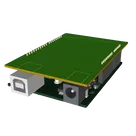
    Arduino UNO 3D3D Model
    dxf

    Arduino UNO R3 shield - Shape.dxf

    Arduino UNO R3 shield - Shape
    Arduino Uno R3 Shield Template-removebg-preview.png

    Arduino Uno R3 Shield Template-removebg-preview.png

    Arduino Uno R3 Shield Template-removebg-previewThumbnail

    Arduino Uno R3 Shield Template a174

    Arduino Uno R3 Shield Template a174 thumbnail
    Template for Arduino Uno R3 Shield. Include an official pinout so you will always know Arduino names, the alternative roles of pins, which one is SDA, or SCL, etc. On PCB you can find the 3D model of the Arduino Uno R3 itself along with the board outline on the silkscreen. #Arduino #Uno #Shield #Template #project-template #project

    Properties

    Properties describe core aspects of the project.

    Pricing & Availability

    Distributor

    Qty 1

    Controls