Treat Flux like your intern. Tell it what you'd like to build and it'll get to work. You can also ask it questions, brainstorm ideas, and teach it your preferences. Learn More
The L293D is a quadruple high-current half-H driver. It is commonly used to control motors. This IC allows for bidirectional control of up to two DC motors or one stepper motor by providing a dual H-bridge configuration. It supports up to 600mA per channel and can handle peak currents up to 1.2A.
EN1,2/EN3,4: Enable pins that must be high for the H-bridges to function.
1A, 2A, 3A, 4A: Input pins that control the direction of the current in the corresponding output pins.
1Y, 2Y, 3Y, 4Y: Output pins that connect to the motor.
These are tactile push-button switches with a 4-pin configuration.
Tactile switches are typically used for user input, like pressing buttons to control different functionalities. They could be used to change directions, enable/disable motors, or other controls in the project.
M1
This appears to be a motor.
The exact type of motor isn't specified, but it has two pins for power. This could be a simple DC motor, and it will be controlled by the L293D motor driver.
The Arduino Uno R3 is a microcontroller board based on the ATmega328P.
D0-D19/AREF/GND/VIN/RESET/+5V/+3V3/IOREF: These are the various digital and analog pins that can be used to interface with other components. The Arduino will control the logic and behavior of your project. It can read inputs, process them, and control outputs like the motor driver and LEDs.
If you need detailed explanations on how these components work together or specific connections, let me know!
1y
3
No files yet
Reviews
Documents
Documents are markdown text files which describe project goals, capture details, or even simulation outputs.
Assets
Arduino UNO.STEP
Arduino UNO 3D3D Model
Arduino UNO R3 shield - Shape.dxf
Arduino UNO R3 shield - Shape
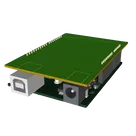
Arduino Uno R3 Shield Template-removebg-preview.png
Arduino Uno R3 Shield Template-removebg-previewThumbnail
Arduino Uno R3 Shield Template
Template for Arduino Uno R3 Shield. Include an official pinout so you will always know Arduino names, the alternative roles of pins, which one is SDA, or SCL, etc. On PCB you can find the 3D model of the Arduino Uno R3 itself along with the board outline on the silkscreen.
#Arduino#Uno#Shield#Template#project-template #project
Properties
Properties describe core aspects of the project.
Pricing & Availability
Distributor
Qty 1
Arrow
$6.31–$9.08
Digi-Key
$9.51–$9.90
LCSC
$0.31–$4.40
Mouser
$11.37
Verical
$6.30–$10.89
Controls
Welcome 👋
Flux helps you build PCBs faster with an AI teammate!
Create your account to collaborate, stay updated, fork your own version, and get instant answers from our AI agent.
josedjade
copilot
- EN1,2/EN3,4: Enable pins that must be high for the H-bridges to function.
- 1A, 2A, 3A, 4A: Input pins that control the direction of the current in the corresponding output pins.
- 1Y, 2Y, 3Y, 4Y: Output pins that connect to the motor.
- VCC1: Logic voltage supply.
- VCC2: Motor voltage supply.
- GND: Ground pins.
R1, R2, R3, R4: RMCF0805JT47K0- They could be used for pull-up or pull-down purposes, current limiting, or part of analog circuits, depending on their connections within the circuit.
S1, S2, S3, S4: EVQ-P1905M- Tactile switches are typically used for user input, like pressing buttons to control different functionalities. They could be used to change directions, enable/disable motors, or other controls in the project.
M1- The exact type of motor isn't specified, but it has two pins for power. This could be a simple DC motor, and it will be controlled by the L293D motor driver.
U2: Arduino Uno R3