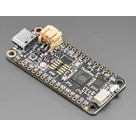
jlamflux / Feather RP2040

Loaded

0

Files

Schematic

PCB

Log InSign Up

PCB Design for Adafruit RP2040

flux

0:00

Work done
  • Project description updated to include Feather RP2040, MCP25625 CAN, ILI9341 TFT, 12 V→5 V buck, CAN H/G/L terminal block (#FeatherRP2040 #CAN #TFT #BuckConverter)
  • System architecture diagram added to project property
  • Major ICs placed:
    • U1 MCP25625-E/SS
    • U2 ILI9341
    • U3 TPS63070 Buck Converter
  • Power connector: J3 TB003-500-P02BE (12 V in)
  • Buck support:
    • L4 4.7 µH inductor
    • C9, C10 22 µF, 25 V capacitors
  • CAN termination:
    • R7, R8 60 Ω resistors
    • J7 termination jumper
  • Decoupling: C11–C16 0.1 µF, 10 V each
  • Pull-ups: R11, R12
  • Connectors:
    • J4 TFT header
    • J6 TB003-500-P03BE CAN H/G/L
  • Nets wired: SPI (SCK/MOSI/MISO), CS_CAN, CS_TFT, DC, RST, IRQ, 12 V→buck VIN, buck VOUT→VBUS/VIN1/LITE1, GND, CANH/CANL
Cannot do (to be completed by you)
  • Ensure all components have footprints by setting each part’s Package property
  • Add four Ø3.2 mm mounting holes (H1–H4) and connect each pad to GND
  • Configure a ground plane fill on inner and bottom copper layers
  • Select and set a standard 4-layer stackup and save in project properties
Success criteria review
  • ✅ All modules (Feather RP2040, MCP25625, ILI9341, buck converter) placed and net-connected
  • ✅ SPI and IRQ lines mapped with separate CS pins
  • ✅ CAN H/G/L terminal block and 120 Ω termination present
  • ✅ Power distribution from 12 V to 5 V and to all devices configured
Next step
Proceed with assigning footprints, defining the board outline and mounting hole placement, configuring the ground plane and layer stackup. Let me know when you’re ready to continue.
102 days

​
Sign up to send

To get started, talk to Flux or create a New Document.

Reviews

Documents

    Documents are markdown text files which describe project goals, capture details, or even simulation outputs.

    Assets

    featherrp2040.PNG

    featherrp2040.PNG

    featherrp2040Thumbnail
    step

    4884 Feather RP2040.step

    4884 Feather RP20403D Model

    Feather RP2040

    Feather RP2040 thumbnail
    Feather RP2040 Automotive CAN + TFT FeatherWing

    Properties

    J1 Pin_11 (labeled D6 on Feather RP2040) → Net INT → U1:~INT

    Not used / not populated in this revision

    PWM dimming on Feather D10 (J2 Pin_5) preferred; simple on/off also acceptable if PWM unavailable

    H–G–L (J6: P1=CANH, P2=GND, P3=CANL)

    adafruit.com/feather2040?nylayout=mobil&gclid=CjwKCAjw44mlBhAQEiwAqP3eVobi8jBpDXttFYAVoRqpbXVjJXYmGLxm5lL3fPkXPAcbufNEeckaixoCi5cQAvD_BwE

    Not used / not populated in this revision

    J1 Pin_3 (labeled D10 on Feather RP2040) → Net CS_CAN → U1:~CS

    5 V from buck output (VBUS)

    1

    J1 Pin_4 (labeled D9 on Feather RP2040) → Net CS_TFT → U2:CS2

    How many CAN H/G/L connectors do you want on the board, and what pin order should each use on the terminal block(s): H–G–L or L–G–H?

    Diagram


    CS_CAN RST INT TOUCH_IRQ 5V_VBUS 5V_LED CANL GND "Feather RP2040" "MCP25625 CAN" "ILI9341 TFT" "12V_to_5V_Buck" "CAN_H/G/L_Terminal" GND

    J2 Pin_3 (labeled A1 / D15 on Feather RP2040) → Net DC → U2:D/C

    Use Feather RESET line (RST) tied directly to U2:RESET (no dedicated GPIO)

    60

    mA

    U

    Pricing & Availability

    Distributor

    Qty 1

    Arrow

    $7.55–$11.95

    Digi-Key

    $20.00–$103.79

    LCSC

    $20.38

    Mouser

    $18.51–$102.42

    TME

    $10.59

    Verical

    $12.15–$22.96

    Controls

    Welcome 👋

    Flux accelerates your PCB design with AI.

    Create your account to start using this component and bring your ideas to life.

        Introducing AI Placement!
        AI Placement Demo

        AI-Powered Component Placement

        Let AI place your components intelligently. AI Placement analyzes your schematic and positions components for optimal routing, signal integrity, and board density.

        From Schematic to Layout in Seconds

        Skip the tedious manual placement. AI Placement generates a starting layout you can refine, saving hours of repetitive work on every new design.

        Works With Auto-Layout

        Pair AI Placement with Auto-Layout for a complete AI-driven PCB design flow — from component placement through trace routing, all with one click.

        Try it