Moving Components in Flux
Thought for 1 min 22 sec
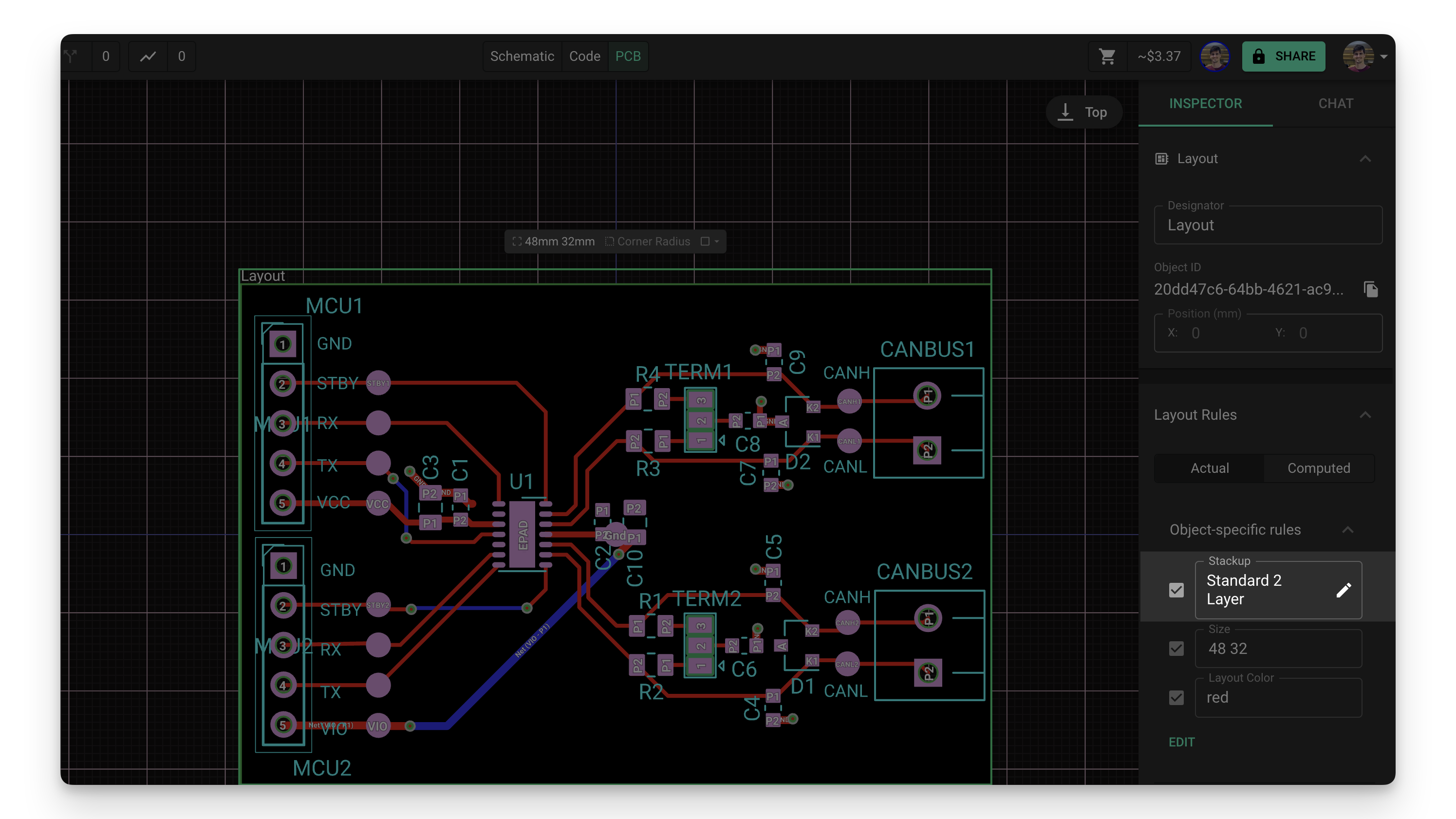
Here is the most relevant entry I found related to changing from the default 4-layer stackup to a 2-layer board:
"Flux supports multi-layer designs. In this tutorial, we'll cover:
- Configuring the board stack-up
- Moving objects between layers
- Routing across multiple layers
New projects are configured with a 4-layer stack-up by default. Here's how to configure a different stack-up:
- Go to the "Layout" object in the "Objects" tab on the right-side panel of the PCB editor
- Select the "Layout" object
- In the right panel, add an "Object Specific rule" called "Stackup"
- Select a Stackup from the default list or click on the pencil icon to create a custom stackup with the Stackup Editor"
Image

can you do this for me?
Thought for 1 min 23 sec
I can’t apply that change automatically yet, but here’s the most relevant entry I found related to switching from the default 4-layer stack-up to a different stack-up (e.g., 2-layer):
"Flux supports multi-layer designs. In this tutorial, we'll cover:
- Configuring the board stack-up
- Moving objects between layers
- Routing across multiple layers
New projects are configured with a 4-layer stack-up by default. Here's how to configure a different stack-up:
- Go to the "Layout" object in the "Objects" tab on the right-side panel of the PCB editor
- Select the "Layout" object
- In the right panel, add an "Object Specific rule" called "Stackup"
- Select a Stackup from the default list or click on the pencil icon to create a custom stackup with the Stackup Editor"
Image
Pick 2-layer stackup
Remove inner layers
Set stackup rule scope
Verify copper layers
Via types restriction
