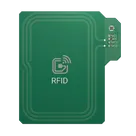
jharwinbarrozo / RFID PCB Antenna Board

Loaded

0

0

Files

Schematic

PCB

Log InSign Up
h4rry

sioux-indigo697844

@web find the datasheet for the @ (Ground) and then list and describe each its pins. Include their function, input/output characteristics, and any special considerations for proper usage.
389 days

flux

0:00

The response is taking longer than expected. Please try again with a more focused question.
389 days

​
Sign up to send

To get started, talk to Flux or create a New Document.

Reviews

Documents

    Documents are markdown text files which describe project goals, capture details, or even simulation outputs.

    Assets

    tom-paynter-rfid-antenna.svg

    tom-paynter-rfid-antenna.svg

    tom-paynter-rfid-antennaDefault
    SILK-ANTENNA.svg

    SILK-ANTENNA.svg

    SILK-ANTENNA
    rfid-antenna-thumb.png

    rfid-antenna-thumb.png

    rfid-antenna-thumbThumbnail
    rfid-logo.svg

    rfid-logo.svg

    rfid-logo

    RFID PCB Antenna Board

    RFID PCB Antenna Board thumbnail
    This is a compact, high-performance RFID antenna solution built on a printed circuit board configurations. It has miniature RF connector (also known as a U.FL or IPX connector) that allows easy connection to an external antenna. It’s especially useful when you want better signal performance or need to position the antenna away from the main board (e.g., in an enclosure or plastic housing).

    Properties

    Properties describe core aspects of the project.

    Pricing & Availability

    Distributor

    Qty 1

    Arrow

    $0.03–$0.03

    Digi-Key

    $0.01–$0.10

    Mouser

    $27.40

    Verical

    $0.00–$0.01

    Controls

    Welcome 👋

    Flux helps you build PCBs faster with an AI teammate!

    Create your account to collaborate, stay updated, fork your own version, and get instant answers from our AI agent.

      Introducing AI Placement!
      AI Placement Demo

      AI-Powered Component Placement

      Let AI place your components intelligently. AI Placement analyzes your schematic and positions components for optimal routing, signal integrity, and board density.

      From Schematic to Layout in Seconds

      Skip the tedious manual placement. AI Placement generates a starting layout you can refine, saving hours of repetitive work on every new design.

      Works With Auto-Layout

      Pair AI Placement with Auto-Layout for a complete AI-driven PCB design flow — from component placement through trace routing, all with one click.

      Try it