Flux GUI Overview

gui
52 days

0:24

Consult.

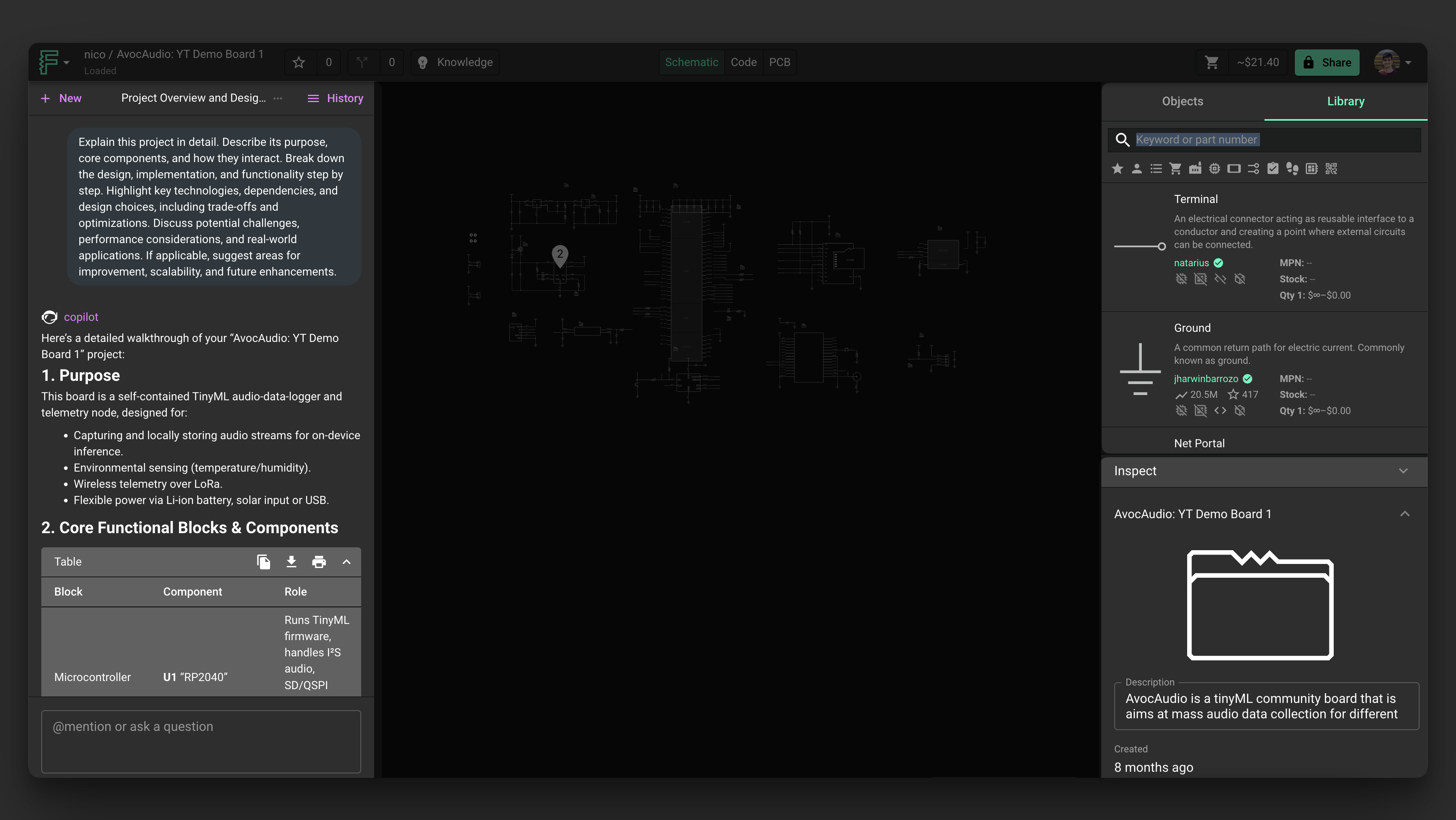
Reading docs about How do I use the Flux GUI/editor interface? Explain the main panels (AI chat, canvas, inspect, objects list) and how to switch between schematic and PCB layout, and where to find review and auto-layout controls..

The most relevant entry I found related to the Flux GUI is from the Flux Schematic Editor reference:
Flux's schematic editor provides a powerful environment for building and simulating electronic circuits in real-time. This reference guide explains the key components of the schematic editor interface and how to use them effectively.
The schematic editor is where you build and simulate circuit schematics. Unique to Flux, everything you do here is synced in real-time to the cloud, which brings a number of benefits.
From left to right: Chat: use this interface to chat with Flux . - Library: list of all the parts you have access to Inspector: shows contextual information about the selected element (properties, pricing, etc)

Image

Where’s PCB editor panels
How to switch schematic/layout
Find review/DRC panel
Locate auto-layout controls
52 days

To get started, talk to Flux or create a New Document.

Documents

    Documents are markdown text files which describe project goals, capture details, or even simulation outputs.

    Assets

    dxf

    ESPRESSO32 Smart Scale Board Outline.dxf

    ESPRESSO32 Smart Scale Board Outline
    dxf

    ESPRESSO32 Smart Scale Antenna Cutout.dxf

    ESPRESSO32 Smart Scale Antenna Cutout
    ESPRESSO32_Smart_Scale_3D_Thumnail.png

    ESPRESSO32_Smart_Scale_3D_Thumnail.png

    ESPRESSO32_Smart_Scale_3D_ThumnailThumbnail

    ESPRSSO32 Smart Scale AI Auto Layout [Example] h86N eJgW

    ESPRSSO32 Smart Scale AI Auto Layout [Example] h86N eJgW thumbnail
    Learn how to use AI Auto Layout on this ESP32 Espresso Smart Scale! In one click you’ll see AI Auto Layout perform magic. Pay close attention to how we recommend creating rulesets, zones, and fanouts. By copying the setup in this example on your own project, you’ll have a fully routed board in no time!

    Properties

    Properties describe core aspects of the project.

    Pricing & Availability

    Distributor

    Qty 1

    Arrow

    $3.18–$5.55

    Digi-Key

    $6.03–$9.59

    LCSC

    $7.42–$8.35

    Mouser

    $10.02

    TME

    $3.63

    Verical

    $3.07–$4.27

    Controls