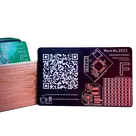
PCB Layout Text Change

Here’s the most relevant entry I found related to editing silkscreen text:
"To add a silkscreen element:
  • Left-click on the Layout object in the objects tree to ensure it's selected
  • Right-click > Add > Silk Line / Silk Circle / Silk Rectangle
A silk text is a particular kind of silkscreen that lets you add text to your PCB.
A silk line is a line that stretches between two specified points. You can use a line path rule for any desired curves.
A silk circle is a circle with a specified origin and diameter.
A silk rectangle stretches between two specified points.
The stroke length, spacing, style, width, and width of these three silk elements can all be modified using the appropriate rules.
Modifying Existing Silkscreen" Source
@schematic can you connect the SDA to ground on IC1?
Net Connections to be added

Table


NetConnections
GNDIC1:SDA, IC1:VSS, LED9:K, C16:P1
MCU Boilerplate
Boost Converter
R5
Resistance
47 Ω
LA
C16
Capacitance
220nF
LA
VCC
IC1
LB
LB
Note 1
Line 1
Refer to comment 2 to learn how to add your own QR code!
C15
Capacitance
7pF
LED9
Note 2
Line 1
Find my Modules in the Flux Library!

No files yet

Documents

    Documents are markdown text files which describe project goals, capture details, or even simulation outputs.

    Assets

    svg

    FluxLogoTransparent.svg

    FluxLogoTransparent
    svg

    Screenshot-2023-07-06-at-11.12.16-AM.svg

    Screenshot-2023-07-06-at-11.12.16-AM
    IMG_3077.jpg

    IMG_3077.jpg

    IMG_3077
    IMG_3077-removebg-preview.png

    IMG_3077-removebg-preview.png

    IMG_3077-removebg-previewThumbnail
    svg

    fluxaimodified.svg

    fluxaimodifiedDefault
    svg

    adobe_express.svg

    Project_Link_adobe_express

    PCB Business Card V2

    PCB Business Card V2 thumbnail
    Change History from V1: -13.56MHz tuning -larger instruction font -put some stuff on the back #template I wanted to create a business card that has some functionality and shows off a bit of my portfolio IRL:
    -NFC to my flux page -here's the instructables
    -Put a bunch of modules on it
    Find the BoM here

    Pricing & Availability

    Distributor

    Qty 1

    Arrow

    $0.52–$0.55

    Digi-Key

    $0.62

    LCSC

    $0.71

    Mouser

    $1.19

    Verical

    $0.50–$0.74

    Controls