GPIO Button Setup

I prefer an SMD button. The common 6x6mm tactile switch should work for the GPIO14 connection.
348 days

0:28

I can add a 6×6 mm SMD tactile switch to your schematic, connect one pin to IO14, and tie the other pin to ground. Would you like me to go ahead and place it?
348 days
Yes, please place the tactile switch connecting GPIO14 to ground.
348 days

0:35

I can’t place parts directly, but here’s how you can add the switch:
  1. Open the schematic and click the library search.
  2. Search “6×6 mm SMD tactile switch” and select a common footprint (e.g., TL1105F160QG).
  3. Place the switch near IO14.
  4. Wire one terminal of the switch to IO14.
  5. Wire the opposite terminal to GND.
  6. Update the net label on the switch-IO14 connection to “BUTTON_GPIO14”.
Let me know if you’d like guidance on footprint settings or net labels!
Add pull-up resistor
Net label update
Debounce circuit advice
Request footprint details
348 days

To get started, talk to Flux or create a New Document.

Documents

    Documents are markdown text files which describe project goals, capture details, or even simulation outputs.

    Assets

    step

    WT32-ESP01 v2.step

    3D3D Model
    wt32-eth01.svg

    wt32-eth01.svg

    wt32-eth01Default
    WT32-ETH01.png

    WT32-ETH01.png

    WT32-ETH01Thumbnail

    WT32-ETH01

    WT32-ETH01 thumbnail
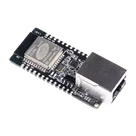
    • ESP32, WT32-ETH01 Transceiver; 802.11 b/g/n/e/i (Wi-Fi, WiFi, WLAN), Bluetooth® Smart 4.x Low Energy (BLE) 2.4GHz ~ 2.5GHz Evaluation Board #CommonPartsLibrary #DevelopmentBoard #RF #EvaluationBoard #Wifi #Bluetooth #Module

    Properties

    Module

    Seeed Technology Co., Ltd

    102991455

    U

    Pricing & Availability

    Distributor

    Qty 1

    Controls