Chat

Welcome to Flux

Treat Flux like your intern. Tell it what you'd like to build and it'll get to work. You can also ask it questions, brainstorm ideas, and teach it your preferences. Learn More

Explain this part
Write a part description
Describe each pin
Operating conditions
Electrical max ratings
Part Specifications
Application circuits
Verify Part Details
Recommend similar parts
Check availability & lifecycle
explain this project.

2y
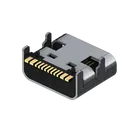
This project involves the design and layout of a USB-C (USB Type-C) Receptacle Connector with USB 2.0 compliance. USB-C is a type of USB (Universal Serial Bus) connector that's known for its compact size and ability to handle multiple functions. This specific USB-C design has 24 positions, 16 of which are active and 8 are dummy. The connector is designed for surface mount and right angle; through hole applications.
The components described in the design are pins of the USB-C connector, each having a designator name and a pin number. In order for the USB-C connector to function properly, these pins need to be connected in the right manner to the correct circuit paths and components. Each pin is also associated with a terminal type, which can tell you a bit about its function in the connector (e.g., powerIn, bidi).
Here is a short descriptor list for some of the components:
  • "SHELL_GND" : Pins that contribute to the ground of the metal shell of the USB connector.
  • "D-" and "D+" : Pins that are D- and D+ lines for the USB 2.0 data connection.
  • "VBUS" : This is the power supply pin, typically providing 5V.
  • "GND" : These are USB ground pins.
  • "SBU1" and "SBU2" : Sideband Use pins, which have several advanced uses in USB-C.
  • "CC1" and "CC2" : Channel Configuration pins, used for configuring the connection orientation, cable attachment, and charging detection.
The overall goal in designing and laying out this connector would typically be to allow data transfer and charging capabilities for an electronic device. However, in the current state, the description suggests that no electrical connections have been made in this project yet. To make this a functional schematic, the various pins would need to be connected to the appropriate datapaths in your design.
2y
Someone is typing...
2
SHELL_GND
D-
D+
VBUS
GND
GND
SHELL_GND
SHELL_GND
SHELL_GND
SBU2
VBUS
CC1
SBU1
CC2
D+
D-


USB TYPE C

USB TYPE C thumbnail
USB-C (USB TYPE-C) USB 2.0 Receptacle Connector 24 (16+8 Dummy) Position Surface Mount, Right Angle; Through Hole #CommonPartsLibrary #Connector #Usb-C

Properties

USB C

J

Pricing & Availability

Distributor

Qty 1

Controls