Treat Flux like your intern. Tell it what you'd like to build and it'll get to work. You can also ask it questions, brainstorm ideas, and teach it your preferences. Learn More
Here's a high-level Mermaid block diagram representing the component V along with other nearby components in your schematic. I'll also include the manufacturer part number where applicable:
Diagram
This diagram provides a simplified overview of how the components are connected, with the focus on the power inputs and the TL074 op-amp. Let me know if you need further details!
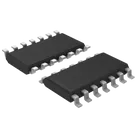
It seems like you've added the TL074 op-amp to your project, and it's present in the description, but you aren't seeing it in your Flux design. Here are a few things you could check:
Library Search: Make sure you've searched for the TL074 under the correct category in the component library. You can search using the part number: TL074.
Component Placement: If you've added it but don't see it, try locating it in the canvas. It might be placed off the visible area. You can zoom out or pan around to find it.
Layer Visibility: Double-check if you have any layers turned off that might be hiding the component.
Filter Settings: Make sure no filters are applied that might hide specific components or designators.
If you've checked these and still can't see the TL074, try removing and re-adding it to the project. Let me know if you need any more help with this!
1y
Someone is typing...
3
V+
-IN 2
OUT 2
-IN 3
OUT 4
+IN 1
-IN 1
+IN 2
+IN 3
V-
+IN 4
-IN 4
OUT 3
OUT 1
No files yet
Reviews
Documents
Documents are markdown text files which describe project goals, capture details, or even simulation outputs.
albaidol
copilot