Arduino LCD Project Setup
Thought for 28 sec
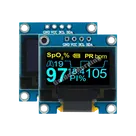
Let's start by clarifying the core components for your design. You mentioned using an Arduino Mini, an SSD1315 LCD screen, and an EC12D1564402 for menu selection. To make sure we get the schematic right, I have one quick question:
- Which Arduino Mini variant are you planning to use—specifically a 3.3V version or a 5V version?
Feel free to answer or let me know if you’d like to assume a standard variant, and then we can move on to the next details.

the 5v version
Thought for 17 sec
Great. For the rotary encoder (EC12D1564402), do you want to use the integrated push-button function in addition to the two rotation outputs? If yes, which Arduino digital pins would you prefer to assign for A, B, and the push-button signals (for example, pins D2, D3, and D4)?
yes I would like to use the push button
Thought for 16 sec
Let's assign the rotary encoder signals as follows:
- Channel A: Arduino Mini D2
- Channel B: Arduino Mini D3
- Push Button: Arduino Mini D4
Do these pin assignments work for you?
Confirm pin assignments