3D Model Display Issue

3d model is not showing up
Thought for 6 sec
I’ll check the project assets and the 3D model metadata first, then identify why the model isn’t being shown.
Thought for 13 sec
The 3D model isn’t showing because this project currently has no 3D model asset attached.
What I found:
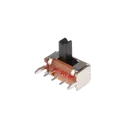
- 1 thumbnail image:
SK12D07VG3.png - 1 SVG asset:
K3-1295S-E1.svg - 0 assets marked as 3D model (
.step,.stp,.glb, etc.)
So the issue is not display settings—the project simply doesn’t have a 3D model file linked yet.
If you want, I can help with the next step:
- attach a STEP/STP model if you have one, or
- help you find a matching 3D model for this switch and prepare it for upload.
Find STEP model
Attach STEP file
Check package dimensions
Find modeled alternative