jecstronic / NE5534P

Loaded

1

Files

Schematic

PCB

Log InSign Up

Pin Labeling Verification

flux

0:46

In many Flux schematic symbols for dual op amps like the NE5534P, the outputs aren’t shown as one of the eight physical pins listed in the datasheet. Instead, the symbol typically separates the functional blocks so that the output nodes appear as distinct terminals on the schematic symbol.
For example, even though the datasheet lists only the following eight physical pins:

Table


Pin NumberFunction
1Offset Null (Op-Amp 1)
2Inverting Input (Op-Amp 1)
3Non-Inverting Input (Op-Amp 1)
4Negative Supply (V−)
5Non-Inverting Input (Op-Amp 2)
6Inverting Input (Op-Amp 2)
7Offset Null (Op-Amp 2)
8Positive Supply (V+)
the schematic symbol in Flux will usually add separate output nodes for each op amp channel. For the first amplifier, the output node is typically drawn adjacent to the op amp symbol (often labeled “OUT” or similar) and is internally connected to the amplifier’s output circuitry. The second amplifier does the same.
If you’re having trouble locating them:
  • Zoom in on the symbol: Look for a node or pad that isn’t one of the eight numbered pins.
  • Check the symbol legend: Sometimes the output node is labeled with a different identifier (like "OP1 Out" or simply "OUT").
  • Compare with a typical application diagram: The NE5534 datasheet application diagram shows the op amp’s outputs as separate from the offset null and input pins.
Let me know if you’d like any more guidance on identifying or updating these nodes in your Flux schematic!
Confirm output labels
Clarify node naming
Verify output connection
374 days

​
Sign up to send

To get started, talk to Flux or create a New Document.

Reviews

Documents

    Documents are markdown text files which describe project goals, capture details, or even simulation outputs.

    Assets

    DIP-8_W7.62mm.png

    DIP-8_W7.62mm.png

    DIP-8_W7.62mmThumbnail
    kicad_mod

    DIP-8_W7.62mm.kicad_mod

    F-V5Footprint
    step

    DIP-8_W7.62mm.step

    3D3D Model
    DFN-8-1EP_3x3mm_P0.5mm_EP1.66x2.38mm

    DFN-8-1EP_3x3mm_P0.5mm_EP1.66x2.38mm

    defaultDefault

    NE5534P

    NE5534P thumbnail
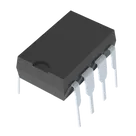
    General Purpose Amplifier 1 Circuit 8-PDIP #CommonPartsLibrary #IntegratedCircuit #Linear #Amplifier #Instrumentation #OP-Amp #Buffer-Amp #NE5534

    Properties

    Operational Amplifier (OP-AMP)

    Texas Instruments

    NE5534P

    ti.com/lit/ds/symlink/ne5534a.pdf

    U

    creativecommons.org/licenses/by/4.0/

    Pricing & Availability

    Distributor

    Qty 1

    Controls

    Welcome 👋

    Flux accelerates your PCB design with AI.

    Create your account to start using this component and bring your ideas to life.

        Introducing AI Placement!
        AI Placement Demo

        AI-Powered Component Placement

        Let AI place your components intelligently. AI Placement analyzes your schematic and positions components for optimal routing, signal integrity, and board density.

        From Schematic to Layout in Seconds

        Skip the tedious manual placement. AI Placement generates a starting layout you can refine, saving hours of repetitive work on every new design.

        Works With Auto-Layout

        Pair AI Placement with Auto-Layout for a complete AI-driven PCB design flow — from component placement through trace routing, all with one click.

        Try it