Chat

Welcome to Flux

Treat Flux like your intern. Tell it what you'd like to build and it'll get to work. You can also ask it questions, brainstorm ideas, and teach it your preferences. Learn More

Explain this part
Write a part description
Describe each pin
Operating conditions
Electrical max ratings
Part Specifications
Application circuits
Verify Part Details
Recommend similar parts
Check availability & lifecycle
how do I use Flux?

@copilot how do I use Flux?
1y
To get started with using Flux, you'll need to create a Flux account. Once you've done that, you can begin designing your circuits using its browser-based platform.
Here are some general steps to help you familiarize yourself with Flux:
  1. Create an Account: Visit Flux.ai and create an account to start using the platform.
  2. Explore Tutorials: There are video tutorials available that can guide you through various aspects of using Flux, such as migrating projects from KiCad to Flux and using different features.
  3. Design and Layout: Begin designing schematics by dragging components from the library onto the canvas and connecting them according to your design requirements.
  4. Simulation: Use Flux's simulation tools to test your circuit designs before proceeding to layout and production. You can find more about how the simulator works here.
  5. Consult the Documentation: For a more comprehensive guide on how to use the features of Flux, you can check out the full documentation.
  6. Get Help: If you run into any issues, the Flux Slack community is a great place to get support and learn from other users.
Feel free to ask if you need help with a specific feature or function in Flux!
1y
Someone is typing...
2
GND
EN/UVLO
VIN
EP
PGOOD
RON
BST
FB
SW

No files yet

Documents

    Documents are markdown text files which describe project goals, capture details, or even simulation outputs.

    Assets

    LM5163QDDARQ1

    LM5163QDDARQ1 Symbol.svgDefault
    LM5163QDDARQ1-thumb.png

    LM5163QDDARQ1-thumb.png

    LM5163QDDARQ1-thumbThumbnail

    SOIC127P600X170-9N.kicad_mod

    FP_SOIC127P600X170-9NFootprint
    LM5163QDDARQ1.stp

    LM5163QDDARQ1.stp

    3D_LM5163QDDARQ13D Model

    LM5163QDDARQ1

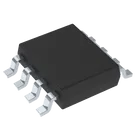
    LM5163QDDARQ1 thumbnail
    Buck Switching Regulator IC Positive Adjustable 1.2V 1 Output 500mA 8-PowerSOIC (0.154", 3.90mm Width) #CommonPartsLibrary #IntegratedCircuit #PowerManagement #Voltage-regulator #Switching-regulator #LM5163

    Properties

    LM5163QDDARQ1

    Texas Instruments Inc.

    IC

    Integrated Circuit

    Pricing & Availability

    DPN

    Stock

    Qty 1

    5

    0–2.5K

    $1.43–$3.7924

    1

    0

    $0.00

    1

    606

    $1.3858

    1

    1.7K

    $3.95

    4

    196–7.5K

    $1.238–$3.7924

    Controls