jecstronic / APA-102-2020-256-8

Loaded

0

0

Files

Schematic

PCB

Log InSign Up

LED Grid Design Request

ceedeepee

ceedeepee

Design an 8x32 grid panel of APA-102-2020-256-8 LEDs (256 in total) with complete per-LED decoupling, a single board-level bulk capacitor, and input/output connectors that allow chaining data, clock, and power to both an ESP32 and to subsequent panels.
69 days

flux

1:07

Following design instructions.

Linking project components.

Clarifying project components.

Linking components and planning.

Accessing knowledge base.

Planning connector strategy.

I will design an 8x32 APA‑102 panel with per‑LED decoupling, a bulk cap, and chainable I/O.
  • Place 256 APA-102-2020-256-8 in an 8x32 grid; set pitch and board outline.
  • Serpentine-chain DI/CI; expose DO/CO at the panel output; name nets for chaining.
  • Add per‑LED Capacitors near each LED, plus one bulk Capacitor at power entry; define VDD/GND rails.
  • Add IN/OUT Connectors: 2x3 (VIN, GND, DI, CI, DO, CO) and a separate 2‑pin power input; add silkscreen labels.
  • Set power net classes/widths; run checks.
Click Start on the plan bar to execute this. Let me know if you want different connector styles or LED pitch.
Plan
#Goal
  • Design an 8x32 LED grid panel using 256 APA-102-2020-256-8 LEDs, complete with per-LED decoupling capacitors, a board-level bulk capacitor, and chainable IO connectors for data, clock, and power interfacing with an ESP32 and subsequent panels.
#Implementation plan
  1. LED Grid Setup
    1. Place 256 APA-102-2020-256-8 LEDs in an 8x32 grid with uniform orientation.
    2. Define grid pitch and board boundaries based on typical LED datasheet recommendations.
    3. Name the LED designators consistently to facilitate later chaining.
  2. Signal Chaining
    1. Connect the data input (DI) and clock input (CI) across the series-connected LED grid using a serpentine topology.
    2. Expose the data output (DO) and clock output (CO) at the panel’s output connectors, and associate the corresponding net names for chaining.
  3. Power Distribution and Decoupling
    1. Place a per-LED decoupling capacitor near each LED’s VDD/GND as per datasheet recommendations.
    2. Add a bulk capacitor near the power entry point on the board.
    3. Define and implement robust VDD and GND power rails and set appropriate net classes and widths.
  4. Input/Output Connectors
    1. Add a 2x3 (2.54 mm pitch) header for VIN, GND, DI, CI, DO, and CO with clear silkscreen labeling.
    2. Add a separate 2-pin power connector intended for higher current requirements.
    3. Ensure that both connectors have clear pin numbering and labeling for IN and OUT connectivity.
#Success criteria
  • 256 APA-102-2020-256-8 LEDs are arranged in an 8x32 grid with consistent orientation and effective use of PCB space.
  • Each LED has a properly placed decoupling capacitor and a board-level bulk capacitor is implemented near the power input.
  • The DI/CI and DO/CO chaining is correctly implemented, with connectors exposed correctly for both data and clock signals.
  • Input and output connectors are accurately placed with clear silkscreen and correct labeling.
  • The overall design follows APA-102 datasheet recommendations and typical PCB design best practices for power, decoupling, and signal integrity.
Pick connector style
Set LED pitch
Power sizing
Net naming
69 days

​
Sign up to send

To get started, talk to Flux or create a New Document.

Reviews

Documents

    Documents are markdown text files which describe project goals, capture details, or even simulation outputs.

    Assets

    kicad_mod

    LED_APA-102-2020-256-8.kicad_mod

    FP_LED_APA-102-2020-256-8Footprint
    step

    APA-102-2020-256-8.step

    3D_APA-102-2020-256-83D Model
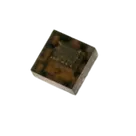
    APA-102-2020-256-8.png

    APA-102-2020-256-8.png

    APA-102-2020-256-8Thumbnail

    APA-102-2020-256-8

    APA-102-2020-256-8 thumbnail
    8-pin type LED three-color RGB Dimming control #CommonPartsLibrary #LED #Tiny #RGB

    Properties

    LED

    iPixel

    APA-102-2020-256-8

    cdn.sparkfun.com/assets/0/1/5/c/3/_20181120__APA_102-2020-256-8.pdf

    LED

    creativecommons.org/licenses/by/4.0/

    Pricing & Availability

    Distributor

    Qty 1

    Controls

    Welcome 👋

    Flux accelerates your PCB design with AI.

    Create your account to start using this component and bring your ideas to life.

        Introducing AI Placement!
        AI Placement Demo

        AI-Powered Component Placement

        Let AI place your components intelligently. AI Placement analyzes your schematic and positions components for optimal routing, signal integrity, and board density.

        From Schematic to Layout in Seconds

        Skip the tedious manual placement. AI Placement generates a starting layout you can refine, saving hours of repetitive work on every new design.

        Works With Auto-Layout

        Pair AI Placement with Auto-Layout for a complete AI-driven PCB design flow — from component placement through trace routing, all with one click.

        Try it