Adding Components to Library
0:34
Thinking deeply about your request.
Working on your request.
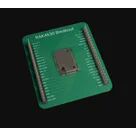
- Integrate the RAK4631 into the design context while maintaining the integrity of the published part project 'RAK4630 Breakout' (owned by javilopez) that is currently non-editable.
- Establish Project Scope
- Confirm the intent to add the RAK4631 into the design context without performing any component research.
- Acknowledge that the current project is a published part project, which is non-editable by the user.
- Create an Editable Workspace
- Fork or duplicate the 'RAK4630 Breakout' project to create a new editable project workspace.
- Set up the new project properties to ensure it inherits necessary configurations from the original, while enabling modifications.
- Integrate the RAK4631
- Insert the RAK4631 into the new editable project.
- Update project metadata and documentation to reflect the inclusion of the new component.
- A new editable project workspace is created from the published 'RAK4630 Breakout' project.
- The RAK4631 is successfully added and documented within the new project context.
- The project remains compliant with the original publication constraints and ownership requirements.

1:33
Searching for a component.
Finished searching for a component.
Searching for a component.
Searching library for: "Find the Flux library part for RAK19003 from RAKwireless. This is a WisBlock base or accessory module; search for the exact RAK19003 designation and close naming variants. Return the best matching library part if it exists."
Creating search plan for: "Find the Flux library part for RAK19003 from RAKwireless. This is a WisBlock base or accessory module; search for the exact RAK19003 designation and close naming variants. Return the best matching library part if it exists. --- MANDATORY search constraints (these MUST be applied to all searches): fieldCategories: ["core","type","manufacturer","packaging"] hitsPerPage: 10 page: 0"
Searching: "RAKwireless RAK19003 WisBlock base or accessory module, search for exact MPN and close naming variants"
Found 10 results.
Searching: "Find the Flux library part for RAK19003 from RAKwireless. This is a WisBlock base or accessory module; search for the exact RAK19003 designation and close naming variants. Return the best matching library part if it exists. --- MANDATORY search constraints (these MUST be applied to all searches): fieldCategories: ["core","type","manufacturer","packaging"] hitsPerPage: 10 page: 0"
Searching: "RAKwireless RAK19003 WisBlock base accessory module RAK19003 naming variants"
Searching web for: "RAK19003 RAKwireless WisBlock RAK19003"
Found 9 results.
Found 10 results.
Searching: "Find the Flux library part for RAK19003 from RAKwireless. This is a WisBlock base or accessory module; search for the exact RAK19003 designation and close naming variants. Return the best matching library part if it exists. --- MANDATORY search constraints (these MUST be applied to all searches): fieldCategories: ["core","type","manufacturer","packaging"] hitsPerPage: 10 page: 0"
Finished searching for a component.
- This current project isn’t editable from your account.
- I also couldn’t find an exact Flux library entry for RAK19003.
- Submit a missing-part request for RAK19003
- Create/import RAK19003 if you have a datasheet or KiCad/Altium library file
- Set up a new editable project based on this part
To get started, talk to Flux or create a New Document.

Welcome 👋
Flux accelerates your PCB design with AI.
Create your account to start using this component and bring your ideas to life.
