Chat

Welcome to Flux

Treat Flux like your intern. Tell it what you'd like to build and it'll get to work. You can also ask it questions, brainstorm ideas, and teach it your preferences. Learn More

Explain project
Write a project description
Find schematic issues
Create a test plan
Simulate a circuit
Prepare for Manufacturing
Component Selection Workflow
New Subsystem Wizard
Write I2C initialization code
Generate firmware skeleton
Check that none of the unconnected pins require pull-up or pull-down resistors t...

@copilot Check that none of the unconnected pins require pull-up or pull-down resistors to ensure proper function.
1y
To ensure all unconnected pins function correctly, we need to review the datasheets and application notes for each component in the project. Here's a quick review of each component for whether pull-up or pull-down resistors are needed:
    • Pins: GND, VDD, CE, ~CSN, SCK, MOSI, MISO, ~IRQ
    • Recommendation:
      • CE: Typically needs to be driven high or low depending on operation but may not require an external pull-up or pull-down.
      • ~CSN: Usually needs a pull-up resistor if it's not driven externally.
      • ~IRQ: Often needs an external pull-up resistor.
      • SCK, MOSI, MISO: Generally managed by the SPI bus and may not need pull-ups or pull-downs.
    • Pins: GND, VO, VI
    • Recommendation:
      • No pull-up or pull-down resistors are required for proper operation as it is a voltage regulator.
  1. Connectors (J1, J2, J3, J4):
    • These connectors are mostly used to provide I/Os and power connections.
    • Recommendation:
      • Review any specific interfaces connected through these terminals. Typically, connectors themselves don't require pull-ups or pull-downs unless specified by the connected devices.
Recommendations for your project:
  1. NRF24L01P (U3):
    • Adding pull-up resistors to ~CSN and ~IRQ is a common practice.
    • Example connection:
      • Connect $R1$:1 to $U3$~CSN.
      • Connect $R2$:1 to $U3$~IRQ.
Additional Assumptions:
  • R1, R2 should have typical pull-up resistor values, such as 10kΩ.
Please let me know if you have any specific requirements or adjustments to these recommendations, or if you need more detailed guidance on any of the components!
1y
necesito cambiarle el nombre al componente
1y
Claro, ¿qué nombre te gustaría asignarle al componente y cuál es el designador del mismo? Por ejemplo, si quieres cambiar el nombre de $U3$ (U3) de "NRF24L01P-MODULE-PCB" a otro nombre, ¿cuál sería el nuevo nombre?
1y
2
U2
J4
J1
U3
J3

No files yet

Documents

    Documents are markdown text files which describe project goals, capture details, or even simulation outputs.

    Assets

    arduino nano.STEP

    arduino nano.STEP

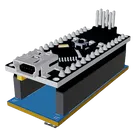
    arduino nano 3D3D Model
    Arduino Nano Shield Template-removebg-preview.png

    Arduino Nano Shield Template-removebg-preview.png

    Arduino Nano Shield Template-removebg-previewThumbnail

    Arduino Nano Shield Template xaAe

    Arduino Nano Shield Template xaAe thumbnail
    Template for Arduino Nano Shield. Include an official pinout so you will always know Arduino names, the alternative roles of pins, which one is SDA, or SCL, etc. On PCB you can find the 3D model of the Arduino Nano itself along with the board outline on the silkscreen. #Arduino #Nano #Shield #template #project #project-template

    Properties

    Properties describe core aspects of the project.

    Pricing & Availability

    Distributor

    Qty 1

    Digi-Key

    $29.00

    LCSC

    $76.34

    Controls