Chat

Welcome to Flux

Treat Flux like your intern. Tell it what you'd like to build and it'll get to work. You can also ask it questions, brainstorm ideas, and teach it your preferences. Learn More

Explain project
Write a project description
Find schematic issues
Create a test plan
Simulate a circuit
Prepare for Manufacturing
Component Selection Workflow
New Subsystem Wizard
Write I2C initialization code
Generate firmware skeleton
Check that none of the unconnected pins require pull-up or pull-down resistors t...

@copilot Check that none of the unconnected pins require pull-up or pull-down resistors to ensure proper function.
2y
To ensure proper function of unconnected pins and to determine if any require pull-up or pull-down resistors, we need to review each pin of the components listed within your design. Given the components you've outlined, without specific details on the microcontroller or other active components' requirements beyond the Arduino Uno R3 pinout, I'll proceed based on common practices and assumptions for typical configurations.
Assumptions:
  • For Arduino Uno R3 PINOUT: Pull-up resistors are often implemented on microcontroller pins that are used as input to ensure that the pin reads a known high value when no input is connected. Specifically, I2C pins (SDA, SCL) would typically have pull-up resistors. Additionally, any unused digital pins generally don't require pull-up or pull-down resistors unless specific use cases demand them (like ensuring a default state).
  • J2, J3, J4, and J1: These are jack or connector pins. Pull-up or pull-down requirements depend on what they connect to. Without specific functionalities assigned, it's hard to conclude their need for pull-ups or pull-downs.
  • PANEL1: Being a solar panel connector with pins for positive voltage (PV+), minus voltage (PV-), and a ground (MGND), it does not require pull-up or pull-down resistors.
  • M1 (Motor), Anemometro (Wind Speed Sensor?): Motors and sensors don't typically require pull-up or pull-down resistors on their power connections, but sensors might need them on data lines, which isn't specified here.
  • R1: This is a resistor; it does not fall into the category of requiring pull-ups or pull-downs.
  • VIN, +5V, RESET, GND: Power nets, ground, and reset lines typically do not need additional pull-up or pull-down resistors; the reset might be an exception if it's not internally pulled up by the Arduino.
Conclusion:
  • For the Arduino Uno R3 PINOUT, assuming it follows typical Arduino Uno design practices, the I2C lines (if any are used and mapped to extensible header pins on your shield) may require pull-up resistors. This is common for SDA and SCL lines, which usually require pull-up resistors to function correctly.
  • For all connectors (J1, J2, J3, J4), if they are connected to digital IOs and are intended to serve as inputs, you might consider adding pull-up or pull-down resistors as required by the connected peripherals or to ensure known states when disconnected.
  • The Anemometro and other sensors or devices interfacing with digital or analog pins might require specific considerations based on their functionality (e.g., pull-up for I2C communication).
  • Digital IOs mentioned without a specific connected device (if any are present and not explicitly listed) should be evaluated for either pull-up or pull-down resistors based on the expected default state when not actively driven.
Recommendation: Review the datasheets or documentation for the specific sensors, connectors, or devices you plan to interface with the Arduino Uno R3 Shield. Confirm their IO requirements regarding pull-up or pull-down resistors. Additionally, check the Arduino Uno's documentation for default configurations on its pins that might alleviate the need for external resistors on certain interfaces.
2y
2
PANEL1
J2
R1
M1
J3
J4
J1
Anemometro

No files yet

Documents

    Documents are markdown text files which describe project goals, capture details, or even simulation outputs.

    Assets

    Arduino UNO.STEP

    Arduino UNO.STEP

    Arduino UNO 3D3D Model

    Arduino UNO R3 shield - Shape.dxf

    Arduino UNO R3 shield - Shape
    Arduino Uno R3 Shield Template-removebg-preview.png

    Arduino Uno R3 Shield Template-removebg-preview.png

    Arduino Uno R3 Shield Template-removebg-previewThumbnail

    Arduino Uno R3 Shield Template

    Arduino Uno R3 Shield Template thumbnail
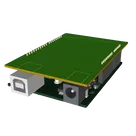
    Template for Arduino Uno R3 Shield. Include an official pinout so you will always know Arduino names, the alternative roles of pins, which one is SDA, or SCL, etc. On PCB you can find the 3D model of the Arduino Uno R3 itself along with the board outline on the silkscreen. #Arduino #Uno #Shield #Template #project-template #project

    Properties

    Properties describe core aspects of the project.

    Pricing & Availability

    Distributor

    Qty 1

    Controls