Arduino Shield Design Overview
Thought for 36 sec
I’m not sure, but I found documentation on how copper fills (including bottom-layer copper) are handled in Gerber export:
“Leaving the “Connected Layers” rule empty will disable copper fills on every layer for that net.Ground fill layers are not defined as negative layers in the Gerber files; they will appear as standard positive layers once the PCB is exported to Gerber files.Copper Fills VisibilityWhen fills are enabled, their visibility can be toggled within the Layer panel in the PCB editor. As shown below, there is an option to disable only the fill visibility next to the layer visibility tool.”Image
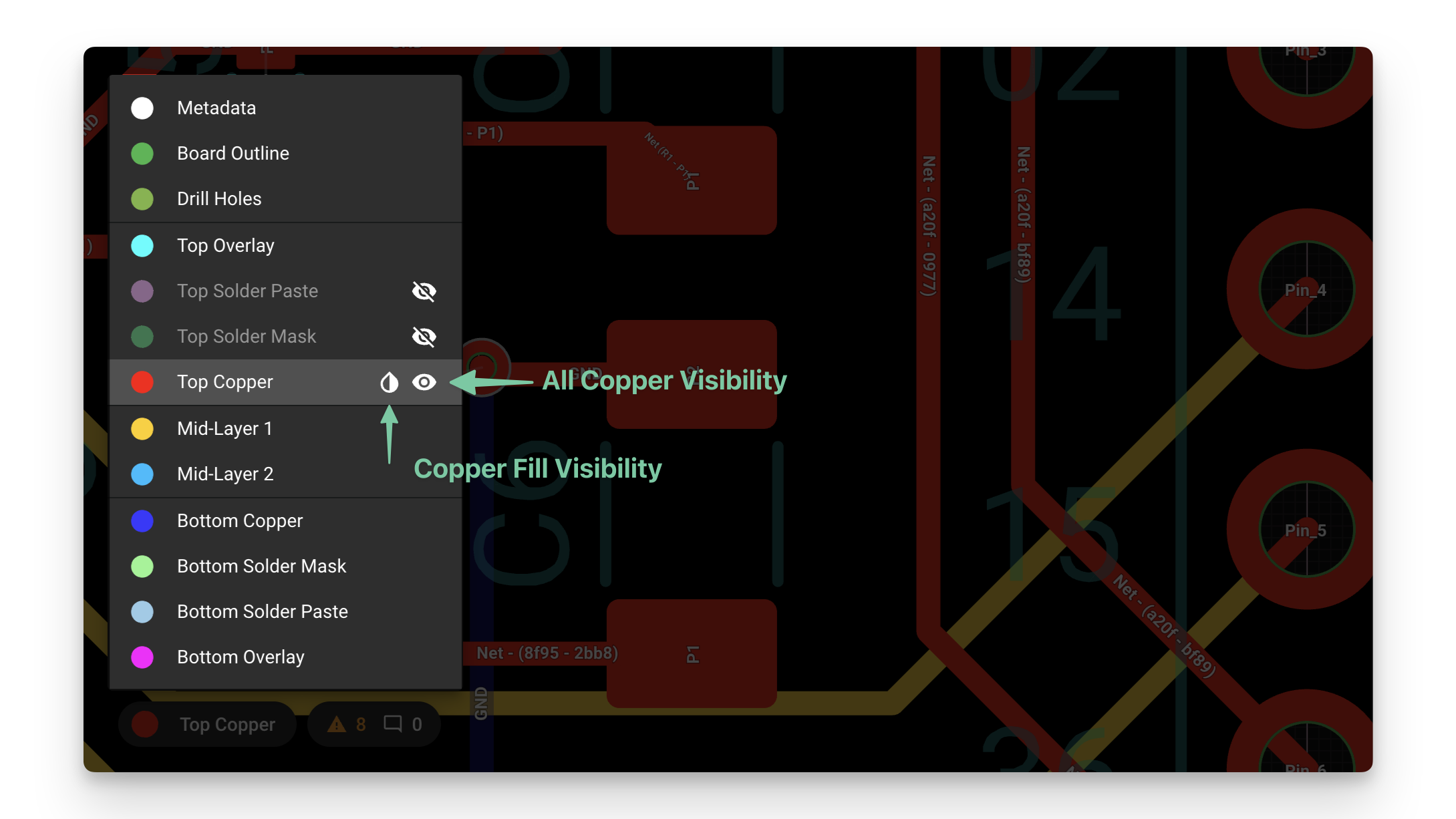
Source: Copper fills
If your bottom copper isn’t showing up in Gerbers, check that:
- The net’s Connected Layers rule includes the bottom copper layer (rather than being left blank).
- In the PCB editor’s Layer panel, the bottom copper and its fills are both enabled (eye icon) before exporting.
For more on exporting Gerbers and layer controls, see the full Flux Documentation:
Flux Documentation
Flux User Community
Flux Documentation
Flux User Community
Enable bottom layer fills
Include bottom copper in rules
Check Gerber export settings
Locate Layer panel
To get started, talk to Flux or create a New Document.

Welcome 👋
Flux helps you build PCBs faster with an AI teammate!
Create your account to collaborate, stay updated, fork your own version, and get instant answers from our AI agent.