Treat Flux like your intern. Tell it what you'd like to build and it'll get to work. You can also ask it questions, brainstorm ideas, and teach it your preferences. Learn More
This project is a template for creating a shield for the Arduino Uno R3. Here's a breakdown of what is included in this project:
Arduino Uno R3 Shield Template: It serves as a starting point for designing a shield that can plug into an Arduino Uno R3. This template includes the Arduino pinout, which provides a reference to know Arduino pin names and their alternative functions, such as SDA, SCL, etc.
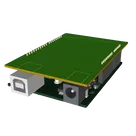
3D Model and Board Outline: The PCB includes the 3D model of the Arduino Uno R3 and a board outline on the silkscreen, which aids in the physical layout and design process.
Components:
Connectors (J1, J2, J3, J4): These are connectors with multiple pins. For instance, J2 has 8 pins, J1 has 6 pins, J3 has 10 pins, and J4 has 8 pins. These connectors would be used to interface with different signals on the Arduino.
Power Nets (+3V3, +5V, VIN): Represent different power connections, where +3V3 is the 3.3V power net, +5V is the 5V power net, and VIN is the voltage input net.
RESET Net: The RESET net is defined but is excluded from the BOM (Bill of Materials) and PCB, indicating it's perhaps used for schematic reference.
Outline and PINOUT: These elements are part of the documentation layer within the PCB design, helping visualize and label components and areas specific to the Arduino Uno R3 board.
Nets:
Various nets are defined to interconnect the components:
This setup provides a basic structure for developing a shield that interfaces with the Arduino Uno R3, allowing additional components and circuitry to be added and connected as needed for the user's specific project.
1y
2
J2
J4
Outline
J3
Arduino Uno R3 PINOUT
J1
No files yet
Reviews
Documents
Documents are markdown text files which describe project goals, capture details, or even simulation outputs.
Assets
Arduino UNO.STEP
Arduino UNO 3D3D Model
Arduino UNO R3 shield - Shape.dxf
Arduino UNO R3 shield - Shape
Arduino Uno R3 Shield Template-removebg-preview.png
Arduino Uno R3 Shield Template-removebg-previewThumbnail
Arduino Uno R3 Shield Template 2Lda
Template for Arduino Uno R3 Shield. Include an official pinout so you will always know Arduino names, the alternative roles of pins, which one is SDA, or SCL, etc. On PCB you can find the 3D model of the Arduino Uno R3 itself along with the board outline on the silkscreen.
#Arduino#Uno#Shield#Template#project-template #project
Properties
Properties describe core aspects of the project.
Pricing & Availability
Distributor
Qty 1
Controls
Welcome ๐
Flux helps you build PCBs faster with an AI teammate!
Create your account to collaborate, stay updated, fork your own version, and get instant answers from our AI agent.
drek
copilot
-
Arduino Uno R3 Shield Template: It serves as a starting point for designing a shield that can plug into an Arduino Uno R3. This template includes the Arduino pinout, which provides a reference to know Arduino pin names and their alternative functions, such as SDA, SCL, etc.
-
3D Model and Board Outline: The PCB includes the 3D model of the Arduino Uno R3 and a board outline on the silkscreen, which aids in the physical layout and design process.
Components:-
Connectors (J1, J2, J3, J4): These are connectors with multiple pins. For instance, J2 has 8 pins, J1 has 6 pins, J3 has 10 pins, and J4 has 8 pins. These connectors would be used to interface with different signals on the Arduino.
-
Power Nets (+3V3, +5V, VIN): Represent different power connections, where +3V3 is the 3.3V power net, +5V is the 5V power net, and VIN is the voltage input net.
-
RESET Net: The RESET net is defined but is excluded from the BOM (Bill of Materials) and PCB, indicating it's perhaps used for schematic reference.
-
Outline and PINOUT: These elements are part of the documentation layer within the PCB design, helping visualize and label components and areas specific to the Arduino Uno R3 board.
Nets: