Chat

Welcome to Flux

Treat Flux like your intern. Tell it what you'd like to build and it'll get to work. You can also ask it questions, brainstorm ideas, and teach it your preferences. Learn More

Explain this part
Write a part description
Describe each pin
Operating conditions
Electrical max ratings
Part Specifications
Application circuits
Verify Part Details
Recommend similar parts
Check availability & lifecycle
how to draw rectangle

@copilot how to draw rectangle
1y
To draw a rectangle, we'll use the following steps in Flux:
  1. Navigation and Selection Tools:
    • Switch to the drawing tool by selecting it from the toolbar.
  2. Specify Rectangle Coordinates:
    • Click on your starting point (one corner of the rectangle) on the schematic canvas.
    • Drag the cursor to the diagonal corner and click again to complete the rectangle.
  3. Adjusting Properties:
    • Select the rectangle to modify properties such as line color, fill color, and line thickness using the property editor.
Here's a step-by-step guide tailored for Flux:
  1. Choose the Rectangle Tool:
    • Look for a rectangle or shape tool on the sidebar or toolbar and select it.
  2. Draw the Rectangle:
    • Click at the point where you want one corner of the rectangle to be.
    • Drag your mouse to the opposite corner of the rectangle. Release the click to finalize the rectangle.
  3. Customize the Shape:
    • If you need to adjust attributes such as line weight or fill color, use the property panel that typically appears when the shape is selected.
Would you like additional help or a visual guide in Flux?
1y
Someone is typing...
2
SK
Pin Number
2
GND
VCC
Pin Number
8
ORG
Pin Number
6
CS
Pin Number
1
NC
Pin Number
7
DI
Pin Number
3
DO
Pin Number
4

To get started, talk to Flux or create a New Document.

Documents

    Documents are markdown text files which describe project goals, capture details, or even simulation outputs.

    Assets

    kicad_mod

    SOIC-8_3.9x4.9mm_P1.27mm.kicad_mod

    Footprint_V5Footprint
    step

    SOIC-8_3.9x4.9mm_P1.27mm.step

    3D3D Model
    93CxxA

    93CxxA

    defaultDefault
    SOIC-8_3.9x4.9mm_P1.27mm.png

    SOIC-8_3.9x4.9mm_P1.27mm.png

    SOIC-8_3.9x4.9mm_P1.27mmThumbnail
    EC93C46ANM1GX thumbnail
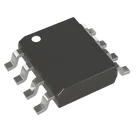
    EEPROM Memory IC 1Kb (64 x 16) SPI 2 MHz 8-SOIC #CommonPartsLibrary #EEPROM #Memory #93C46B

    Properties

    Pricing & Availability

    Distributor

    Qty 1

    Controls