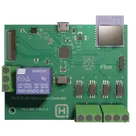
AC Signal Detection Circuit
1:29
Searching for a component.
Searching library for: "MCP6567-E/SN"
Creating search plan for: "MCP6567-E/SN"
Searching.
Searching.
Searching.
Searching.
Searching.
Found 85 results.
Searching: "MCP6567-E/SN"
Finished searching for a component.
Table
| Part | Package | MPN | Link |
|---|---|---|---|
| MCP6561T-E/LT | SC-70-5 | MCP6561T-E/LT | 3931adf8-f780-bdd2-5c11-1296eb953f27 |
0:02
To get started, talk to Flux or create a New Document.
Reviews
Documents
Documents are markdown text files which describe project goals, capture details, or even simulation outputs.
Assets
NextPCB Logo.svg
NextPCB LogoDefaulticon__boards.png
icon__boardsvasy_skral-pico-smart-automation-controller-nextpcb-1-4-layer-standard-constraints.stl
vasy_skral-pico-smart-automation-controller-nextpcb-1-4-layer-standard-constraintsPICO Smart Automation Controller image.png
PICO Smart Automation Controller imageThumbnailPICO Smart Automation Controller NextPCB 1-4 Layer Standard Constraints 4zrx 4be4 9avx
Properties
Pricing & Availability
Distributor | Qty 1 |
|---|
Controls
Welcome 👋
Flux helps you build PCBs faster with an AI teammate!
Create your account to collaborate, stay updated, fork your own version, and get instant answers from our AI agent.

AI-Powered Component Placement
Let AI place your components intelligently. AI Placement analyzes your schematic and positions components for optimal routing, signal integrity, and board density.
From Schematic to Layout in Seconds
Skip the tedious manual placement. AI Placement generates a starting layout you can refine, saving hours of repetitive work on every new design.
Works With Auto-Layout
Pair AI Placement with Auto-Layout for a complete AI-driven PCB design flow — from component placement through trace routing, all with one click.