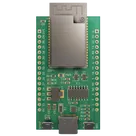
dacre / AI Brick Phone 8dcd pTUT

Loaded

0

0

Files

Schematic

PCB

Log InSign Up

ESP32 Pin IO13 Multiplexing Options

dacre

dacre

Can you tell me what are all the multiplexed alternatives for pin IO13 (pin 16) of @ESP1?
52 days

flux

0:26

Gather.

Looking for "Pin 16 IO13 multiplexed functions alternate functions pin description" in esp32-wrover-e_esp32-wrover-ie_datasheet_en.pdf

For ESP1, pin 16 = IO13 can be multiplexed as:

Table


SignalFunction
GPIO13General-purpose I/O
ADC2_CH4ADC2 channel 4
TOUCH4Capacitive touch input 4
RTC_GPIO14RTC-domain GPIO 14
MTCKJTAG test clock
HSPIDHSPI data in
HS2_DATA3SD/SDIO host data bit 3
SD_DATA3SD card data bit 3
EMAC_RX_EREthernet MAC receive error
If you want, I can also list the boot-strapping / caution notes for ESP1 IO13, since some alternate functions can affect bring-up or debugging.
IO13 caution notes
More ESP1 pin mux
Check current usage
52 days

​
Sign up to send

To get started, talk to Flux or create a New Document.

Reviews

Documents

    Documents are markdown text files which describe project goals, capture details, or even simulation outputs.

    Assets

    ESP32-WROVER-E Reference Design image.png

    ESP32-WROVER-E Reference Design image.png

    ESP32-WROVER-E Reference Design imageThumbnail

    AI Brick Phone 8dcd pTUT

    AI Brick Phone 8dcd pTUT thumbnail
    AI Brick Phone — 3.3V Synchronous Buck Upgrade (5V→3.3V ≥1A, Low‑Noise for ESP32 & Audio/ADC)

    Properties

    creativecommons.org/licenses/by/4.0/

    Pricing & Availability

    Distributor

    Qty 1

    Arrow

    $3.96–$5.29

    Digi-Key

    $4.76–$14.34

    LCSC

    $7.97–$8.78

    Mouser

    $14.83

    TME

    $1.99

    Verical

    $4.24–$6.90

    Controls

    Welcome 👋

    Flux helps you build PCBs faster with an AI teammate!

    Create your account to collaborate, stay updated, fork your own version, and get instant answers from our AI agent.

        Introducing AI Placement!
        AI Placement Demo

        AI-Powered Component Placement

        Let AI place your components intelligently. AI Placement analyzes your schematic and positions components for optimal routing, signal integrity, and board density.

        From Schematic to Layout in Seconds

        Skip the tedious manual placement. AI Placement generates a starting layout you can refine, saving hours of repetitive work on every new design.

        Works With Auto-Layout

        Pair AI Placement with Auto-Layout for a complete AI-driven PCB design flow — from component placement through trace routing, all with one click.

        Try it