Part Information Review and Verification

Review all available part information (MPN, package, pin count, description, properties). If no datasheet URL is already set, search the web for the official datasheet and update the part's Datasheet property with the URL. Then cross-check the schematic symbol, footprint, and pin descriptions against the datasheet. Summarize key specs and flag any mismatches.
Thought for 2 sec
I’m blocked because execution credits are exhausted, so I can’t inspect the project, search for datasheets, update properties, or run symbol/footprint checks in this session.
What remains to be done:
- Review the current part metadata: MPN, package, pin count, description, and properties.
- Check whether the Datasheet property is already populated.
- If missing, find the official manufacturer datasheet URL and write it into the part’s Datasheet property.
- Cross-check the schematic symbol pins, footprint pad count/layout, and pin descriptions against the datasheet.
- Summarize the device’s key electrical/package specs.
- Flag any mismatches between the Flux part and the official datasheet.
Current known project context:
- Project:
AM62A74AUMSIAMBRQ1 - Part appears to be Texas Instruments
AM62A74AUMSIAMBRQ1 - Description: MPU / vision SoC, 2 TOPS, RGB-IR ISP, 1–2 camera support, automotive temperature range
- Package/pin count from project context:
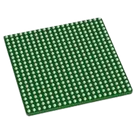
484-FCBGA,484 pads - No verification or datasheet update was performed due to the credit limit.
Retry after credits
Manual footprint checks
Symbol validation checklist
High-risk pin groups
Welcome 👋
Flux accelerates your PCB design with AI.
Create your account to start using this component and bring your ideas to life.