Chat

Welcome to Flux

Treat Flux like your intern. Tell it what you'd like to build and it'll get to work. You can also ask it questions, brainstorm ideas, and teach it your preferences. Learn More

Explain project
Write a project description
Find schematic issues
Create a test plan
Simulate a circuit
Prepare for Manufacturing
Component Selection Workflow
New Subsystem Wizard
Write I2C initialization code
Generate firmware skeleton

To get started, talk to Flux or create a New Document.

Documents

    Documents are markdown text files which describe project goals, capture details, or even simulation outputs.

    Assets

    buildwithflux_logo.svg

    buildwithflux_logo.svg

    buildwithflux_logoDefault
    Screenshot 2024-02-26 134722.svg

    Screenshot 2024-02-26 134722.svg

    Screenshot 2024-02-26 134722Thumbnail
    step

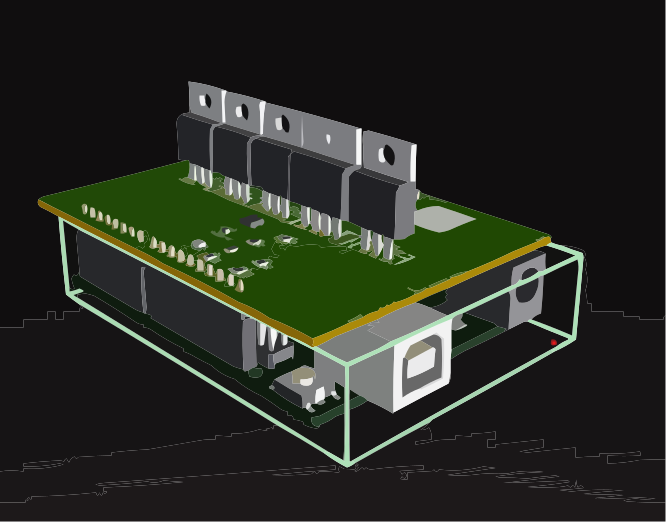
    Arduino UNO.STEP

    Arduino UNO 3D3D Model
    dxf

    Arduino UNO R3 shield - Shape.dxf

    Arduino UNO R3 shield - Shape

    Ashvin K - Design Challenge

    Ashvin K - Design Challenge thumbnail
    A simple Arduino weather shield which allows an Arduino Uno R3 to interface with: ● Barometric pressure sensor ● Phototransistor ● Humidity Sensor ● Temperature Sensor

    Properties

    Properties describe core aspects of the project.

    Pricing & Availability

    Distributor

    Qty 1

    Digi-Key

    $1.76–$3.10

    LCSC

    $10.59–$11.91

    Mouser

    $20.73–$20.79

    Controls