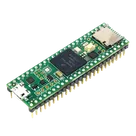
Teensy 3.5 Adapter Inquiry

0:16

Yes — since you can’t edit this published project directly, the way to make it editable is to fork it into your own account. That gives you your own copy to modify, while leaving the original unchanged. The project-copy workflow uses a fork link with the current project UID plus a prefilled prompt describing the change you want
How to fork it
  1. Click this link:
    Fork this project
  2. Flux will create a copy under your account.
  3. Open that new forked project.
  4. In the fork, you can edit the schematic/part terminals and verify the pin metadata there. For created or copied part projects, the follow-up workflow is to open the new part project and continue editing or verifying pins/properties in that new context
What happens after the fork
Your editable copy should preserve:
  • the same connector footprint
  • the revised pin order: GND, 0, 1, 2, 3, 4, VCC
  • the signal names:
    • 0 = MAGSTRIPE_CLS
    • 1 = MAGSTRIPE_RCL2
    • 2 = MAGSTRIPE_RDT2
    • 3 = MAGSTRIPE_RCL
    • 4 = MAGSTRIPE_RDT
And for terminal typing, the standard mapping is:
  • 0–4Input
  • GNDGround
  • VCCPower In
If you want to edit it manually after forking
For part-terminal setup, the key fields to check are:
  • Pin Number
  • Pin Name
  • Pin Type
  • optionally Section, Pin Group, and Pin Orientation for completeness
If you open the fork and want help checking that the pins were created correctly, send me the forked project link or just tell me you’ve opened it, and I’ll help you verify the terminal table.
Open fork link
Edit terminal table
Verify pin types
28 days

how do I use Flux?

@copilot how do I use Flux?
2y
Using Flux, the browser-based electronics CAD program, involves several key steps and features to design electronic schematics and lay out PCBs. Here's a quick guide to get you started:
  1. Access and Navigate: Visit the Flux website and log in or sign up if you haven't already. Familiarize yourself with the Flux interface.
  2. Start a New Project: To begin a new schematic or PCB layout, look for an option to create a new project on the dashboard or main menu.
  3. Design Your Schematic:
    • Place Components: Locate the component library and drag the components you need onto the schematic canvas.
    • Make Connections: Use the wire tool to connect the components. Ensure you're connecting the right pins by referring to each component's datasheet or symbol information.
    • Check Designs: Use the check or validation tool to look for any errors in your schematic, such as unconnected pins or incompatible voltage levels.
  4. Transition to PCB Layout: Once your schematic is finished and checked, move on to laying out the PCB. This process translates your schematic into a physical board design.
    • Place Footprints: Similar to placing components, now you'll place the physical footprints of each component onto the PCB canvas.
    • Route Traces: Connect the footprints with traces, which represent the physical wires on the PCB. Pay attention to trace width for power handling and spacing for signal integrity.
    • Define Board Layers: If your design is complex, you might use multiple layers for signals, power, and ground. Assign and route traces to these layers accordingly.
    • Final Checks: Run a design rule check (DRC) to ensure that your PCB complies with manufacturing capabilities and hasn't any errors such as trace overlaps or insufficient spacing.
  5. Output and Manufacture: When your PCB layout is complete, generate the necessary output files for manufacturing, like Gerber files, and send them to a PCB manufacturer.
  6. Learn and Expand: Make use of the Help and Tutorials section to deepen your understanding and capabilities within Flux. This includes:
    • First project guidance
    • In-depth tutorials
    • A comprehensive reference section
  7. Seek Support and Collaborate: Participate in the Flux Slack community for support and to meet other users. Use the live support options if you encounter issues.
This overview should get you started, but remember, hands-on practice and exploring each feature in detail will greatly enhance your Flux skills.
2y
Someone is typing...
2
4_
21_
23_
30_
40_
10_
13_
5_
9_
6_
15_
39_
26_
G_3
12_
14_
37_
7_
20_
34_
3V3
24_
18_
31_
1_
28_
0_
38_
8_
16_
35_
19_
27_
25_
2_
11_
17_
3V
36_
G_2
3_
41_
22_
29_


  • Ground
    A common return path for electric current. Commonly known as ground.
  • Net Portal
    Wirelessly connects nets on schematic. Used to organize schematics and separate functional blocks. To wirelessly connect net portals, give them same designator. #portal
  • Power Net Portal
    Wirelessly connects power nets on schematic. Identical to the net portal, but with a power symbol. Used to organize schematics and separate functional blocks. To wirelessly connect power net portals, give them the same designator. #portal #power
  • Generic Resistor
    A generic fixed resistor ideal for rapid circuit topology development. Its footprint automatically adapts based on the selected package case code—supporting 0402, 0603, 0805, 1203, and many other standard SMD packages, as well as axial horizontal and vertical configurations. Save precious design time by seamlessly add more information to this part (value, footprint, etc.) as it becomes available. Standard resistor values: 1.0 ohm, 10 ohm, 100 ohm, 1.0k ohm, 10k ohm, 100k ohm, 1.0M ohm 1.1 ohm, 11 ohm, 110 ohm, 1.1k ohm, 11k ohm, 110k ohm, 1.1M ohm 1.2 ohm, 12 ohm, 120 ohm, 1.2k ohm, 12k ohm, 120k ohm, 1.2M ohm 1.3 ohm, 13 ohm, 130 ohm, 1.3k ohm, 13k ohm, 130k ohm, 1.3M ohm 1.5 ohm, 15 ohm, 150 ohm, 1.5k ohm, 15k ohm, 150k ohm, 1.5M ohm 1.6 ohm, 16 ohm, 160 ohm, 1.6k ohm, 16k ohm, 160k ohm, 1.6M ohm 1.8 ohm, 18 ohm, 180 ohm, 1.8K ohm, 18k ohm, 180k ohm, 1.8M ohm 2.0 ohm, 20 ohm, 200 ohm, 2.0k ohm, 20k ohm, 200k ohm, 2.0M ohm 2.2 ohm, 22 ohm, 220 ohm, 2.2k ohm, 22k ohm, 220k ohm, 2.2M ohm 2.4 ohm, 24 ohm, 240 ohm, 2.4k ohm, 24k ohm, 240k ohm, 2.4M ohm 2.7 ohm, 27 ohm, 270 ohm, 2.7k ohm, 27k ohm, 270k ohm, 2.7M ohm 3.0 ohm, 30 ohm, 300 ohm, 3.0K ohm, 30K ohm, 300K ohm, 3.0M ohm 3.3 ohm, 33 ohm, 330 ohm, 3.3k ohm, 33k ohm, 330k ohm, 3.3M ohm 3.6 ohm, 36 ohm, 360 ohm, 3.6k ohm, 36k ohm, 360k ohm, 3.6M ohm 3.9 ohm, 39 ohm, 390 ohm, 3.9k ohm, 39k ohm, 390k ohm, 3.9M ohm 4.3 ohm, 43 ohm, 430 ohm, 4.3k ohm, 43K ohm, 430K ohm, 4.3M ohm 4.7 ohm, 47 ohm, 470 ohm, 4.7k ohm, 47k ohm, 470k ohm, 4.7M ohm 5.1 ohm, 51 ohm, 510 ohm, 5.1k ohm, 51k ohm, 510k ohm, 5.1M ohm 5.6 ohm, 56 ohm, 560 ohm, 5.6k ohm, 56k ohm, 560k ohm, 5.6M ohm 6.2 ohm, 62 ohm, 620 ohm, 6.2k ohm, 62K ohm, 620K ohm, 6.2M ohm 6.8 ohm, 68 ohm, 680 ohm, 6.8k ohm, 68k ohm, 680k ohm, 6.8M ohm 7.5 ohm, 75 ohm, 750 ohm, 7.5k ohm, 75k ohm, 750k ohm, 7.5M ohm 8.2 ohm, 82 ohm, 820 ohm, 8.2k ohm, 82k ohm, 820k ohm, 8.2M ohm 9.1 ohm, 91 ohm, 910 ohm, 9.1k ohm, 91k ohm, 910k ohm, 9.1M ohm #generics #CommonPartsLibrary
  • Generic Capacitor
    A generic fixed capacitor ideal for rapid circuit topology development. You can choose between polarized and non-polarized types, its symbol and the footprint will automatically adapt based on your selection. Supported options include standard SMD sizes for ceramic capacitors (e.g., 0402, 0603, 0805), SMD sizes for aluminum electrolytic capacitors, and through-hole footprints for polarized capacitors. Save precious design time by seamlessly add more information to this part (value, footprint, etc.) as it becomes available. Standard capacitor values: 1.0pF, 10pF, 100pF, 1000pF, 0.01uF, 0.1uF, 1.0uF, 10uF, 100uF, 1000uF, 10000uF 1.1pF, 11pF, 110pF, 1100pF 1.2pF, 12pF, 120pF, 1200pF 1.3pF, 13pF, 130pF, 1300pF 1.5pF, 15pF, 150pF, 1500pF, 0.015uF, 0.15uF, 1.5uF, 15uF, 150uF, 1500uF 1.6pF, 16pF, 160pF, 1600pF 1.8pF, 18pF, 180pF, 1800pF 2.0pF, 20pF, 200pF, 2000pF 2.2pF, 22pF, 220pF, 2200pF, 0.022uF, 0.22uF, 2.2uF, 22uF, 220uF, 2200uF 2.4pF, 24pF, 240pF, 2400pF 2.7pF, 27pF, 270pF, 2700pF 3.0pF, 30pF, 300pF, 3000pF 3.3pF, 33pF, 330pF, 3300pF, 0.033uF, 0.33uF, 3.3uF, 33uF, 330uF, 3300uF 3.6pF, 36pF, 360pF, 3600pF 3.9pF, 39pF, 390pF, 3900pF 4.3pF, 43pF, 430pF, 4300pF 4.7pF, 47pF, 470pF, 4700pF, 0.047uF, 0.47uF, 4.7uF, 47uF, 470uF, 4700uF 5.1pF, 51pF, 510pF, 5100pF 5.6pF, 56pF, 560pF, 5600pF 6.2pF, 62pF, 620pF, 6200pF 6.8pF, 68pF, 680pF, 6800pF, 0.068uF, 0.68uF, 6.8uF, 68uF, 680uF, 6800uF 7.5pF, 75pF, 750pF, 7500pF 8.2pF, 82pF, 820pF, 8200pF 9.1pF, 91pF, 910pF, 9100pF #generics #CommonPartsLibrary
  • Generic Inductor
    A generic fixed inductor suitable for rapid circuit topology development. The footprint automatically adapts based on the selected package, supporting standard SMD sizes (e.g., 0402, 0603, 0805) as well as well-known inductor packages such as SDR1806, PA4320, SRN6028, and SRR1260. Standard inductor values: 1.0 nH, 10 nH, 100 nH, 1.0 µH, 10 µH, 100 µH, 1.0 mH 1.2 nH, 12 nH, 120 nH, 1.2 µH, 12 µH, 120 µH, 1.2 mH 1.5 nH, 15 nH, 150 nH, 1.5 µH, 15 µH, 150 µH, 1.5 mH 1.8 nH, 18 nH, 180 nH, 1.8 µH, 18 µH, 180 µH, 1.8 mH 2.2 nH, 22 nH, 220 nH, 2.2 µH, 22 µH, 220 µH, 2.2 mH 2.7 nH, 27 nH, 270 nH, 2.7 µH, 27 µH, 270 µH, 2.7 mH 3.3 nH, 33 nH, 330 nH, 3.3 µH, 33 µH, 330 µH, 3.3 mH 3.9 nH, 39 nH, 390 nH, 3.9 µH, 39 µH, 390 µH, 3.9 mH 4.7 nH, 47 nH, 470 nH, 4.7 µH, 47 µH, 470 µH, 4.7 mH 5.6 nH, 56 nH, 560 nH, 5.6 µH, 56 µH, 560 µH, 5.6 mH 6.8 nH, 68 nH, 680 nH, 6.8 µH, 68 µH, 680 µH, 6.8 mH 8.2 nH, 82 nH, 820 nH, 8.2 µH, 82 µH, 820 µH, 8.2 mH #generics #CommonPartsLibrary
  • Terminal
    Terminal
    An electrical connector acting as reusable interface to a conductor and creating a point where external circuits can be connected.
  • RMCF0805JT47K0
    47 kOhms ±5% 0.125W, 1/8W Chip Resistor 0805 (2012 Metric) Automotive AEC-Q200 Thick Film #forLedBlink
  • 875105359001
    10uF Capacitor Aluminum Polymer 20% 16V SMD 5x5.3mm #forLedBlink #commonpartslibrary #capacitor #aluminumpolymer #radialcan
  • CTL1206FYW1T
    Yellow 595nm LED Indication - Discrete 1.7V 1206 (3216 Metric) #forLedBlink

Teensy 4.1

Teensy 4.1 thumbnail
RT1062 Teensy 4.1 - ARM® Cortex®-M7 MCU 32-Bit Embedded Evaluation Board #commonpartslibrary #developmentboard #rt1062 #teensy4.1 #mcu32

Properties

DEV-16996

SparkFun Electronics

DS

Development Board

Pricing & Availability

Distributor

Qty 1

Controls