Part Information Review and Update
Worked for 2 mins 13 sec
I reviewed the part project as it exists now.
Overall status
- Datasheet URL is already set in the project, and it points to the official Sensirion PDF on sensirion.com, so no datasheet-property update was needed.
- The project metadata is partially complete, but some fields are too generic for a polished part project.
- The symbol/terminal set is incomplete from a metadata standpoint: all terminals currently have
Pin Type = Unspecified, and I don’t see any pin descriptions, sections, or pin-group metadata. - The footprint and symbol are broadly aligned in count, but the footprint contains 3 additional internal/mount pads beyond the 18 named signal/EP pads, which should be verified against the mechanical recommendation.
From the project properties and schematic/layout:
- MPN:
SDP33-1500Pa-TR-250pcs - Manufacturer:
Sensirion - Part Type:
Sensors - Designator Prefix:
IC - Package or Case Code:
SMD - Description:
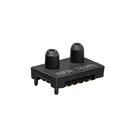
Pressure Sensor +/-0.22PSI (+/-1.5kPa) Differential Male - 0.08" (2.00mm) Tube, Dual 16 b 16-SMD Module, Dual Top Ports
I found 18 terminal components in the symbol:
- GND_1
- GND_2
- GND_3
- IRQN
- SCL
- GND_4
- VDD
- SDA
- ADDR
- GND_5
- GND_6
- RESERVED_1
- RESERVED_2
- RESERVED_3
- RESERVED_4
- RESERVED_5
- EP_1
- EP_2
The default footprint contains:
- 18 named pads matching the symbol labels:
GND_1, GND_2, GND_3, IRQN, SCL, GND_4, VDD, SDA, ADDR, GND_5, GND_6, RESERVED_1..5, EP_1, EP_2 - 3 extra pads under the
mountscontainer labeled:19,20,21
The official Sensirion datasheet URL already stored in the project is also what Sensirion publishes from the product page, so that part looks correct.
From the official search results for the SDP33 family:
- It is an SDP33 digital differential pressure sensor from Sensirion.
- Interface pins include SDA and SCL.
- It includes IRQN.
- It includes ADDR.
- The datasheet explicitly notes:
- IRQN may be left unconnected if unused, and should not be tied to VDD or GND.
- ADDR should not be connected to VDD.
- Reserved pins should remain reserved.
- The exposed/center pad should be soldered to the PCB.
Based on the part naming, project description, and official Sensirion product/datasheet references:
- Device: Digital differential pressure sensor
- Pressure range: ±1500 Pa (also reflected in the project description)
- Interface: I²C via
SDA/SCL - Extra digital pins:
IRQN,ADDR - Mechanical style: dual top ports / tube ports
- Manufacturer: Sensirion
- Variant:
SDP33-1500Pa-TR-250pcs
- Current property:
Package or Case Code = SMD - Issue: this is not specific enough for a reusable part.
- It should be replaced with the actual package/module name from the datasheet, not just “SMD”.
All 18 terminals currently show:
Pin Type = Unspecified
And I do not see populated:
Pin DescriptionSectionPin GroupPin Orientation
For a part project, that’s a significant metadata gap. At minimum:
VDDshould be Power InGND_xand likely exposed pad(s) should be GroundSDAis likely Bi-DirectionalSCLis typically Input or sometimes left Bi-Directional depending on modeling styleIRQNshould be OutputADDRshould be InputRESERVED_xshould not remain generic/unexplained; they should be marked clearly per datasheet usage guidance
Even where names exist, the terminals are missing short functional descriptions. That means the symbol is usable, but not well-documented.
4) Footprint has 3 extra pads beyond the 18 symbol terminals
- Symbol exposes 18 terminals
- Footprint has 18 named pads + 3 extra pads (19/20/21)
This is not automatically wrong. Those 3 extra pads may be:
- mechanical anchor pads,
- segmented exposed-pad copper,
- or paste/land subdivision features.
But because they are separate PCB pads and not represented as symbol terminals, they should be checked against the mechanical drawing/land pattern. If they are electrically tied exposed-pad segments, the footprint may need cleanup or clearer intent.
5) Description is usable but not ideal
The description contains useful information, but it reads like a distributor string rather than a clean part-library description.
A better part description would be something like:
- “Digital differential pressure sensor, ±1500 Pa, I²C interface, dual top ports”
- MPN
- Manufacturer
- Datasheet URL
- Presence of expected digital-interface style pins:
VDD,SDA,SCL,IRQN,ADDR - Presence of multiple grounds and reserved pins
- Symbol-to-footprint mapping for the 18 named pads
- Package or Case Code
- Pin Type for every terminal
- Pin descriptions
- Possibly section/group/orientation metadata
- Verification of the extra footprint pads 19/20/21
- Clarification of whether EP_1 / EP_2 correctly reflects the datasheet’s exposed-pad implementation
- No pin typing is defined
- No pin descriptions are defined
- Package field is too vague
- Extra footprint pads 19/20/21 need mechanical verification
- Exposed-pad representation should be checked carefully
If you want, I can do the next pass and update the part metadata and terminal properties to make this part project datasheet-aligned.
Fix all mismatches
Review decoupling issues
Document part audit