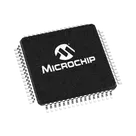
Part Information Review and Update

@file @web For this part project, do the following steps in order. Do NOT ask for permission — execute each step fully before moving to the next.
- Review all available part information (MPN, package, pin count, description, properties).
- If no datasheet URL is set on this part, use @web to find the official datasheet for the MPN or description. Once found, immediately use @action to add/update the 'Datasheet' property with the URL. Do not ask — just do it.
- Once a datasheet is available (either already set or just added), use @file to fully scan it. Extract and summarize all metadata: electrical characteristics, absolute maximum ratings, recommended operating conditions, pin descriptions, package dimensions, and any special features.
- Cross-check the schematic symbol and footprint against the datasheet. Flag any mismatches that could cause manufacturing issues, incorrect part ordering, or board failure.
Thought for 29 sec
I found the official datasheet URL and can add/update the
Datasheet project property with it:After that, I can continue with the full datasheet scan and the symbol/footprint cross-check.
Name
Pin #
Type
Part Type
Terminal Order
PMD5/RE5
1
Bi-Directional
Terminal
PMD6/RE6
2
Bi-Directional
Terminal
PMD7/RE7
3
Bi-Directional
Terminal
SCK2/U6TX/*U3RTS/PMA5/CN8/RG6
4
Bi-Directional
Terminal
SDA4/SDI2/U3RX/PMA4/CN9/RG7
5
Bi-Directional
Terminal
SCL4/SDO2/U3TX/PMA3/CN10/RG8
6
Bi-Directional
Terminal
*MCLR
7
Input
Terminal
*SS2/U6RX/*U3CTS/PMA2/CN11/RG9
8
Bi-Directional
Terminal
VSS
9
Power In
Terminal
VDD
10
Power In
Terminal
AN5/C1IN+/VBUSON/CN7/RB5
11
Bi-Directional
Terminal
AN4/C1IN-/CN6/RB4
12
Bi-Directional
Terminal
AN3/C2IN+/CN5/RB3
13
Bi-Directional
Terminal
AN2/C2IN-/CN4/RB2
14
Bi-Directional
Terminal
PGEC1/AN1/VREF-/CVREF-/CN3/RB1
15
Bi-Directional
Terminal
PGED1/AN0/VREF+/CVREF+/PMA6/CN2/RB0
16
Bi-Directional
Terminal
PGEC2/AN6/OCFA/RB6
17
Bi-Directional
Terminal
PGED2/AN7/RB7
18
Bi-Directional
Terminal
PIC32MX534F064H-I/PT